
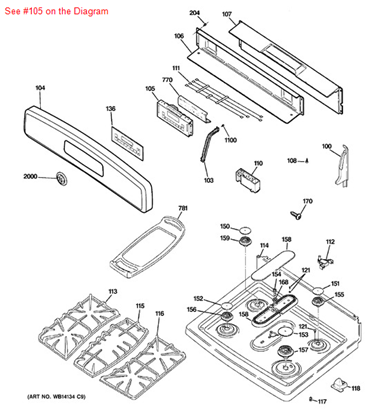
General Electric WB27K10245 Range Control Oven T011

Special Price $243.41 Regular Price $263.95
In stock
Available Quantity:   4
SKU
WB27K10245

Product Description

The General Electric WB27K10245 Range Oven Control Board T011 translates user input into timed electrical signals delivered to igniters, thermostats and indicators. It controls input from buttons and temperature sensors to operate bake and broil functions with exact timing and safety controls.
Manufacturer

https://www.hnkparts.com/media/catalog/product/w/b/wb27k10245_general-electric_hnkparts.jpg
Manufacturer Name: GENERAL ELECTRIC
Product Number: WB27K10245
OEM Part Number: WB27K10245
Product Description: Control Oven T011

Choose the best Home Appliance parts and supplies from HnKParts!

  • Same Day Shipping

  • Best Quality And Best Price

  • Wide Range of Inventory

  • Best Customer Service

Have More Questions or Need Help to Place The Order?
Reach us at (866)723-0907 or [email protected]

Write Your Own Review
You're reviewing:General Electric WB27K10245 Range Control Oven T011
Your Rating
Customer Questions
What maintenance is required for the General Electric WB27K10245 Control Oven?

Regularly wipe down the range control panel with a soft, damp cloth to prevent grease buildup. Avoid chemicals that can damage electronics. Ensure connections are secure and inspect for signs of wear to maintain better and accurate oven operation.

What are common issues with the General Electric WB27K10245 Control Oven?

  • Range not heating properly.
  • Erratic temperature readings.
  • Display panel unresponsive or flickering.
  • Buttons or touch controls failing intermittently.

Installation Steps

Step1: Turn off power to the range at the circuit breaker for safety.

Step2: Remove the back control panel cover to access the control board.

Step3: Label and disconnect all wire connectors from the old control board.

Step4: Remove mounting screws and carefully take out the defective board.

Step5: Install the new control board and reconnect wiring securely.

Step6: Reattach the panel cover, restore power, and test oven functions and display operation.