The store will not work correctly in the case when cookies are disabled.
We collect user information to provide a better user experience and protect the security of our website. By continuing to use our website, you acknowledge the use of cookies.
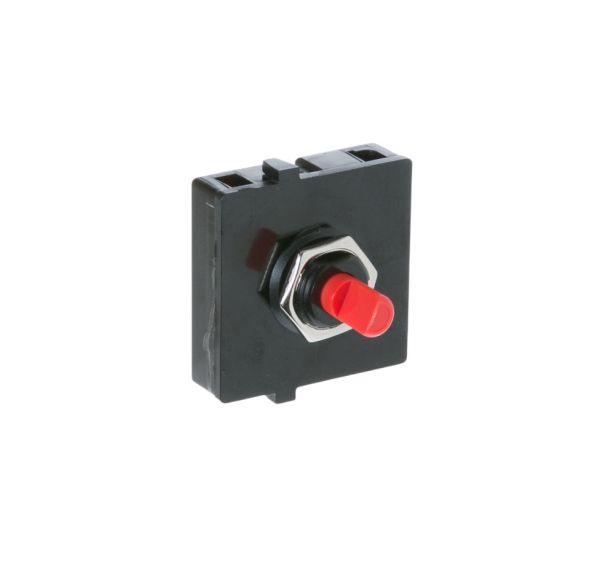
The General Electric WB24X10129 Range Fan Switch is used to operate the ventilation fan in appliance, allowing the user to manage airflow for effective removal of smoke, steam, grease and cooking odors. It works by activating and regulating the fan circuit when the control knob is turned, enabling proper fan operation during cooking. It maintains cleaner cooking conditions and enhances ventilation efficiency. It is fitted within the range hood control assembly to provide dependable switching performance and secure electrical connections for kitchen use.
Step 1: The range hood should be disconnected from the wall outlet or the power should be turned off at the circuit breaker.
Step 2: The old fan switch should be taken out from the range hood by loosening the screws securing it to the range hood with a Phillips head screwdriver.
Step 3: The wires linked to the old fan switch should be detached, with note taken of which wires correspond to which terminals.
Step 4: The new WB24X10129 GE Range Hood Fan Switch should be positioned in the identical spot as the old switch, with the mounting screws aligned.
Step 5: The wires should be attached to the new switch utilizing the same terminal locations as the previous switch.
Step 6: The screws that hold the switch in position should be secured.
Step 7: The range hood should be reconnected to the wall outlet or the circuit breaker should be turned back on.
Step 8: The functionality of the new fan switch should be verified to ensure it operates correctly.
Please remember that these instructions serve as general guidance and should always be used alongside the manufacturer's manual, if it exists.