
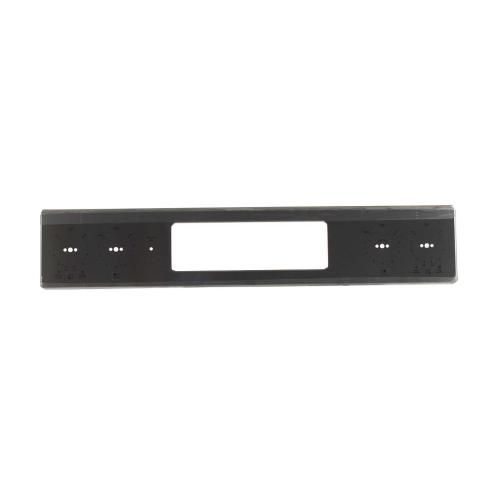
General Electric WB07X33620 Range Stainless Control Panel Overlay

Special Price $105.03 Regular Price $119.95
In stock
Available Quantity:   7
SKU
WB07X33620

Product Description

The General Electric WB07X33620 Range Stainless Control Panel Overlay acts as the outer layer of the control panel and has a stainless steel finish that gives it a sleek look. This is designed to be easily installed on the control panel for installation and allows easy operation of buttons, knobs, and displays. This is made with stainless steel which enables it to be resistant to damage, staining, and corrosion and is easy to clean.
Manufacturer

✓ This Product Replaces: WB07X30049
https://www.hnkparts.com/media/catalog/product/w/b/wb07x33620_general-electric_hnkparts.png

This Part Fits the Following Models (3)

Manufacturer Name: GENERAL ELECTRIC
Product Number: WB07X33620
OEM Part Number: WB07X33620
Product Description: Stainless Control Panel

Choose the best Home Appliance parts and supplies from HnKParts!

  • Same Day Shipping

  • Best Quality And Best Price

  • Wide Range of Inventory

  • Best Customer Service

Have More Questions or Need Help to Place The Order?
Reach us at (866)723-0907 or [email protected]

Write Your Own Review
You're reviewing:General Electric WB07X33620 Range Stainless Control Panel Overlay
Your Rating
Customer Questions
What maintenance is required for the General Electric WB07X33620 Control Panel Overlay?

Regularly wipe the range overlay using a non-abrasive cleaner. Ensure the panel surface remains dry after cleaning. Check that control markings register accurately when pressed and verify commands respond correctly during routine operation checks.

What are common issues with the General Electric WB07X33620 Control Panel Overlay?

  • Touch inputs are not registering consistently.
  • Controls responding slowly.
  • Display selections are not activating.
  • Panel failing to accept adjustments.

Installation Steps

Step1: Turn off the power to the range for safety.

Step2: Remove screws securing the old control panel.

Step3: Detach the panel and disconnect any wiring connectors.

Step4: Align and connect wiring to the new overlay.

Step5: Secure the new control panel with screws.

Step6: Turn on the power and test all controls for proper function.