The store will not work correctly in the case when cookies are disabled.
We collect user information to provide a better user experience and protect the security of our website. By continuing to use our website, you acknowledge the use of cookies.
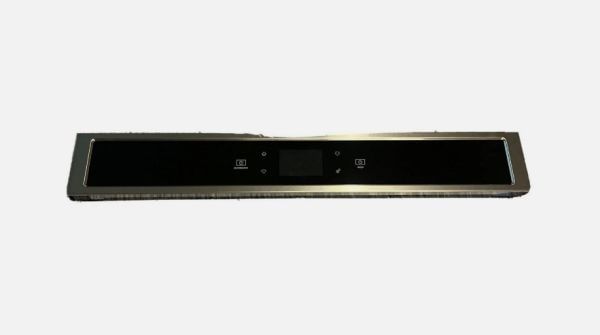
The Whirlpool W11600321 Oven-Control Panel is used in the kitchen ovens to operate and control cooking functions. It enables the user to adjust temperatures, choose cooking modes and operate timers on the panel. The panel operates by transmitting electronic signals between the touchpad or buttons and the internal control board of the oven, which in turn controls the heating elements and other parts.
What maintenance is required for the WHIRLPOOL W11600321 Control Panel?
Keep the control panel clean and dry to avoid residue buildup. Ensure all touchpads or buttons respond properly. Confirm connections are secure and test multiple operations. Verify settings register accurately across different cycles for consistent operation.
What are common issues with the WHIRLPOOL W11600321 Control Panel?
Inputs not registering consistently.
Display showing incorrect status.
Delayed response to commands.
Settings resetting unexpectedly.
Installation Steps
Step1: Unplug the microwave to prevent electrical hazards.
Step2: Remove the outer cover to access the existing control panel.
Step3: Disconnect wiring and unscrew the old panel carefully.
Step4: Align the new control panel and reconnect all wiring.
Step5: Secure screws and reassemble the microwave cover.
Step6: Plug in and test all buttons for proper functionality.