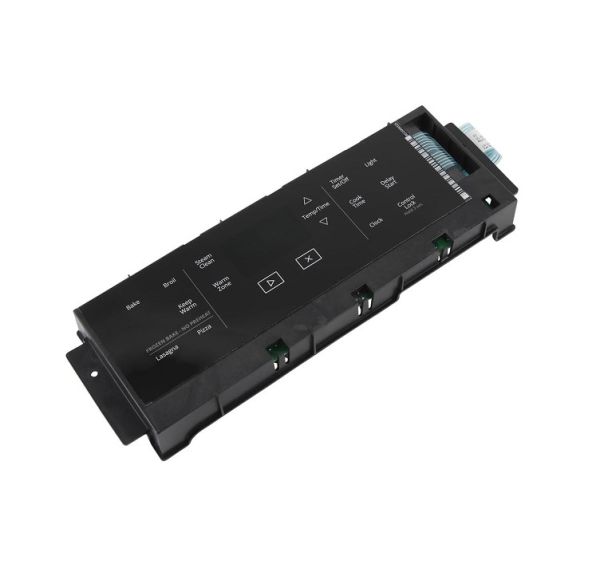
Product Overview:
Controls the electronic operation of the range, the Whirlpool W11567368 Range Control Board serves as the primary processing module within the appliance control system. It receives input from the user interface and connected sensing components, processes those signals, and sends control commands to the electrical circuits responsible for cooking functions. The board coordinates communication between the control interface, temperature-sensing components, relays, and heating circuits to support the selected operating functions.
Input Processing :
The range control board receives electronic input from the user interface, oven temperature sensor, and other connected control components throughout appliance operation. It interprets selected cooking settings and monitored operating conditions before converting this information into electronic control signals. By processing these inputs, the control board manages the programmed operating logic required for cooking functions, temperature regulation, timing features, and other electronic operations within the range.
Relay Operation :
Replacement may be necessary when the Control Board develops internal electronic faults that disrupt signal processing, relay operation, or communication with connected components. Such failures can affect heating functions, temperature control, display responses, or programmed cooking cycles. Verify the appliance model and manufacturer compatibility information before ordering to ensure the replacement corresponds to the intended electric range.
Replacement Guidelines:
Replacement should be considered when the Whirlpool W11567368 Range Control Board develops electronic faults that disrupt normal signal processing or communication with connected components. Symptoms may include interrupted cooking cycles, inconsistent temperature regulation, irregular display responses, or incorrect heating operation. Before purchasing, verify the appliance model, control configuration, and applicable manufacturer documentation.
Common Failure Symptoms:
- Control panel response issues.
- Inconsistent temperature regulation.
- Heating functions operating incorrectly.
- Unexpected interruption of cooking cycles.
- Intermittent electronic behavior.
- Irregular display or control responses.
Equipment Compatibility:
The Whirlpool W11567368 Range Control Board is designed for select Whirlpool electric ranges. Always verify the appliance model number, existing part number, and manufacturer documentation before purchasing to confirm compatibility with the intended appliance configuration.
Technical Specifications:
Brand: Whirlpool
Part Number: W11567368
Product Type: Range Control Board
Equipment Type: Electric Range