The store will not work correctly in the case when cookies are disabled.
We collect user information to provide a better user experience and protect the security of our website. By continuing to use our website, you acknowledge the use of cookies.
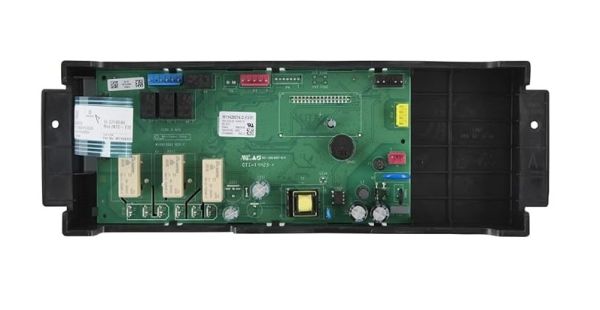
The Whirlpool W11528249 Electronic Control Board is used in the range that helps in controlling different settings for cooking. This board controls the electrical aspect of the range and helps in changing the temperature, time, and other settings and functions by converting signals from the control buttons into operations on the range and can repair the appliance and bring the board back to optimal performance.
What maintenance is required for the Whirlpool W11528249 Electronic Control Board?
Regularly inspect the control board for loose connections or burn marks. Ensure no moisture or debris accumulates around the board. Test all buttons and functions periodically. Always disconnect power before handling to prevent electrical shock.
What are common issues with the Whirlpool W11528249 Electronic Control Board?
Display not lighting up.
Buttons unresponsive.
Error codes appearing unexpectedly.
Range functions not activating.
Installation Steps
Step1: Unplug the range to prevent electrical hazards.
Step2: Remove the control panel screws to access the board.
Step3: Carefully disconnect all wiring from the old control board.
Step4: Position the new control board in place and reconnect all wires securely.
Step5: Fasten screws to secure the board.
Step6: Restore power and test all functions for proper operation.