
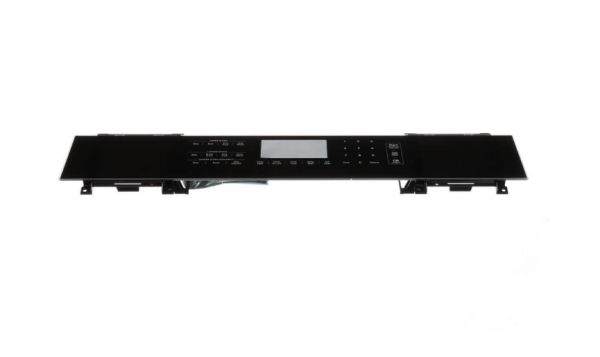
Whirlpool W11430942 Range Control Panel

Special Price $288.99 Regular Price $332.95
In stock
Available Quantity:   29
SKU
W11430942

Product Description

The Whirlpool W11430942 Range Control Panel that controls the operations of the oven, it receives the commands from the user and relays them into the appropriate instructions for baking, broiling and other functions. It is equipped with responsive touch controls or buttons to enable fast selection and real-time monitoring of the settings. It improves on cooking efficiency and outcome, and reduces energy consumption.
Manufacturer

✓ This Product Replaces: W10619109, W11101833
https://www.hnkparts.com/media/catalog/product/w/1/w11430942-14522.jpg
Manufacturer Name: WHIRLPOOL
Product Number: W11430942
OEM Part Number: W11430942
Product Description: Panl-Cntrl

Choose the best Home Appliance parts and supplies from HnKParts!

  • Same Day Shipping

  • Best Quality And Best Price

  • Wide Range of Inventory

  • Best Customer Service

Have More Questions or Need Help to Place The Order?
Reach us at (866)723-0907 or [email protected]

Write Your Own Review
You're reviewing:Whirlpool W11430942 Range Control Panel
Your Rating
Customer Questions
What maintenance is required for the Whirlpool W11430942 Control Panel?

Clean the control panel surface with a soft, damp cloth to remove grease or spills. Inspect wiring and connectors for secure seating. Test all function buttons and indicator lights to ensure accurate input and response during cooking cycles.

What are common issues with the Whirlpool W11430942 Control Panel?

  • Touch controls not responding.
  • Range not initiating selected cycles.
  • Preset cooking programs failing.
  • Display not reflecting selected settings.

Installation Steps

Step1: Disconnect the range from power to ensure safety.

Step2: Remove the range back or front panel screws carefully.

Step3: Detach the old control panel and note wire connections.

Step4: Connect wires to the new control panel to the original layout.

Step5: Secure the panel with screws.

Step6: Restore power and test all functions for proper operation.