The store will not work correctly in the case when cookies are disabled.
We collect user information to provide a better user experience and protect the security of our website. By continuing to use our website, you acknowledge the use of cookies.
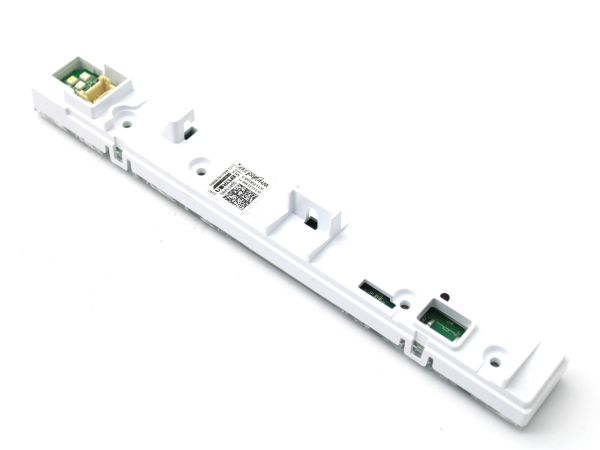
The Whirlpool W11414079 dishwasher user interface panel provides intuitive control over your dishwashing experience. Featuring a sleek design, this panel offers easy navigation through various wash cycles and settings. Its user-friendly interface ensures effortless operation, allowing users to select options such as wash cycle, temperature, and delay start with just a few touches.
The Whirlpool dishwasher user interface panel W11414079 offers intuitive control and convenient functionality for efficient dishwashing. With its sleek design and user-friendly interface, this panel enhances the overall experience of using your dishwasher. Equipped with advanced features, it simplifies the process of selecting wash cycles and customizing settings to suit your needs. The clear display ensures easy navigation, allowing users to monitor the progress of the cycle and adjust settings as required.
Key featuresWhirlpool dishwasher user interface panel W11414079 include:
Intuitive touch controls: Easily select wash cycles and options with a simple touch.
Clear display: Provides clear visibility of cycle status and remaining time.
Customizable settings: Tailor wash cycles to accommodate different types of dishes and soil levels.
Delay start option: Allows users to schedule wash cycles at their convenience.
Child lock feature: Prevents accidental changes to settings during operation.
Energy-efficient operation: Helps conserve energy and reduce utility costs over time.
Step 1: The power supply to your Whirlpool W11414079 dishwasher should be cut off. The power cord should be disconnected from the wall socket.
Step 2: The dishwasher door should be opened and the screws positioned at the base of the front panel should be found. They will be situated near the latch of the dishwasher door.
Step 3: A screwdriver should be employed to take out the screws and the panel should be pulled away from the dishwasher.
Step 4: The new Whirlpool W11414079 panel-UI should be identified and extracted from its packaging.
Step 5: The new panel-UI should be aligned with the frame and it should ensure that it is oriented correctly.
Step 6: The screws previously removed should be utilized to fasten the new panel-UI securely. It should ensure that the screws are tightened adequately.
Step 7: The power to the dishwasher should be restored and the power cord should be inserted into a wall socket.
Step 8: It should be verified that the new panel-UI is functioning correctly.
Well done! The Whirlpool W11414079 panel-UI has been successfully installed.
Please remember, these instructions are served as general guidance and should always be followed alongside the manufacturer's manual, if it is available.