
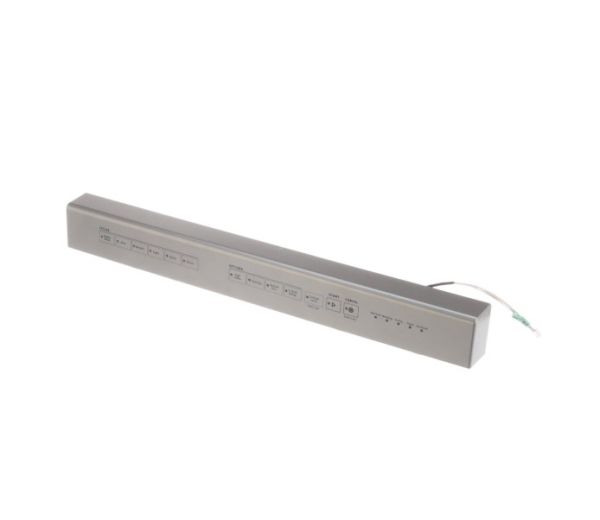
Whirlpool W11395600 Dishwasher Console

Special Price $129.69 Regular Price $143.95
In stock
Available Quantity:   25
SKU
W11395600
✓ This Product Replaces: W11262941, W11133139

Product Description

The Whirlpool W11395600 Dishwasher Console is the dishwasher's control center, which is normally positioned on the front panel above the door. The touchscreen interface, knobs, and buttons used to operate the appliance are housed in this stainless steel panel. You may choose from a variety of wash cycles, change the water temperature and cycle intensity, and start the dishwasher using the console. In order to communicate with your dishwasher and guarantee optimal performance, you need a working console. Replacing a broken or malfunctioning W11395600 console restores control and functionality to your dishwasher, allowing you to select the proper wash settings for your dishes and restart cleaning cycles.


Console,
Manufacturer
https://www.hnkparts.com/media/catalog/product/w/1/w11395600-61341.jpg

This Part Fits the Following Models (1)

Manufacturer Name: WHIRLPOOL
Product Number: W11395600
OEM Part Number: W11395600
Product Description: Console

Choose the best Home Appliance parts and supplies from HnKParts!

  • Same Day Shipping

  • Best Quality And Best Price

  • Wide Range of Inventory

  • Best Customer Service

Have More Questions or Need Help to Place The Order?
Reach us at (866)723-0907 or [email protected]

Write Your Own Review
You're reviewing:Whirlpool W11395600 Dishwasher Console
Your Rating
Customer Questions
What maintenance is required for the Whirlpool W11395600 Console?

Wipe the dishwasher console regularly with a soft, damp cloth to remove spills and prevent grime buildup. Avoid abrasive cleaners that can scratch buttons or displays. Check that all buttons operates properly and ensure the console is securely attached to the dishwasher.

What are common issues with the Whirlpool W11395600 Console?

  • Dishwasher buttons becoming unresponsive or sticking.
  • Display malfunctioning or showing incorrect codes.
  • Loose or damaged mounting.
  • Electrical connection problems causing intermittent operation.

Installation Steps

Step1: Turn off dishwasher power at the breaker to avoid electrical hazards.

Step2: Open the dishwasher door and remove screws securing the old console.

Step3: Carefully disconnect the wire harness from the existing console.

Step4: Align the new console and reconnect the wiring securely.

Step5: Position it properly and fasten screws tightly.

Step6: Restore power and test all controls for proper operation.
