The store will not work correctly in the case when cookies are disabled.
We collect user information to provide a better user experience and protect the security of our website. By continuing to use our website, you acknowledge the use of cookies.
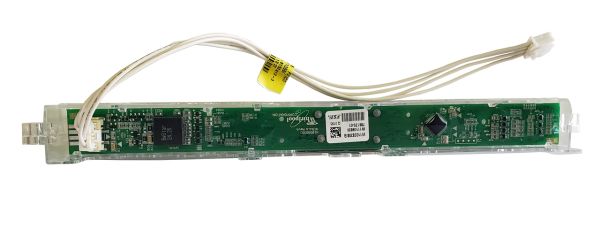
Whirlpool W11368911 Dishwasher User Interface Housing is your dishwasher's control center, which includes both physical buttons and a display screen. It serves as a link between you and your appliance, allowing you to select wash cycles, change settings, and check the dishwasher's status. The housing houses the buttons that you use to initiate functions, as well as the display, which shows the cycle selected, the remaining time, and any error codes. When functioning properly, this user interface ensures that you and your dishwasher communicate smoothly, resulting in optimal cleaning performance and a seamless user experience. A faulty user interface can manifest in a variety of ways, including unresponsive buttons, malfunctioning displays, and the inability to start the dishwasher at all.
Step 1: Disconnect the appliance from the electrical outlet.
Step 2: Identify the HOUSING-UI.
Step 3: Take out the screws holding the HOUSING-UI in place.
Step 4: Extract the old HOUSING-UI.
Step 5: Position the new HOUSING-UI.
Step 6: Fasten the HOUSING-UI using screws.
Step 7: Verify the new HOUSING-UI.
Please remember that these instructions serve as general guidance and should always be utilized alongside the manufacturer's manual, if it is available.