The store will not work correctly in the case when cookies are disabled.
We collect user information to provide a better user experience and protect the security of our website. By continuing to use our website, you acknowledge the use of cookies.
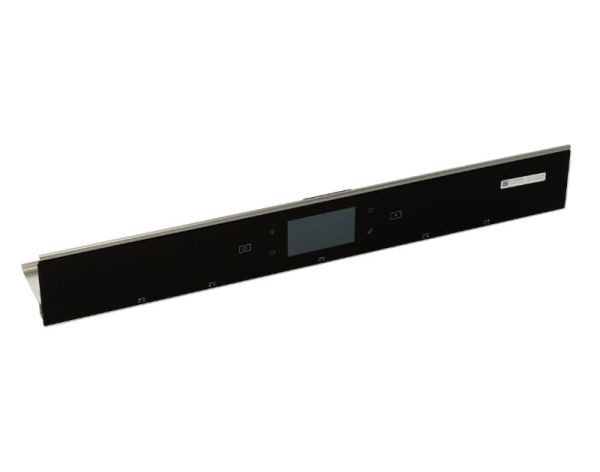
The Whirlpool W11335274 Range Electronic Control Board is responsible for various operations including heating control, cooking timers, and display operations. It receives input from the user and transmits signals to various sections of the appliance for accurate regulation of temperature and function and contributes to better cooking, increases the useful life of the appliance, and provides a pleasant interface for the user, which is why it is essential for proper functioning of the range.
What maintenance is required for the Whirlpool W11335274 Control Panel?
Check that control indicators illuminate correctly during operation. Wipe the surface gently to maintain clear visibility of settings. Verify mounting stability and ensure connections remain secure, and turn off electrical supply before servicing the control interface.
What are common issues with the Whirlpool W11335274 Control Panel?
Buttons are failing to register input.
Display not lighting properly.
Temperature settings are not adjusting.
Cooking modes not activating.
Installation Steps
Step1: Disconnect the range from power to ensure safety.
Step2: Remove the screws holding the existing control panel.
Step3: Disconnect all wiring connectors carefully from the old panel.
Step4: Position the new control panel and secure it with screws.
Step5: Reconnect the wires, restore power, and test all controls for proper operation.