The store will not work correctly in the case when cookies are disabled.
We collect user information to provide a better user experience and protect the security of our website. By continuing to use our website, you acknowledge the use of cookies.
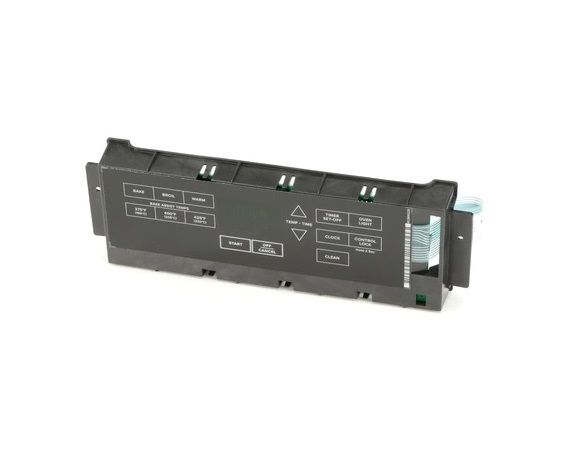
The Whirlpool W11314380 comprises the central nervous system for your Whirlpool or Amana appliances. This electronic control board is an essential part that accepts control panel signals and transforms them into actions for the oven, cooktop, and other range parts. When you set the temperature for your bake cycle, the control board sends signals to the heating elements, guaranteeing that constant temperatures are maintained. It additionally regulates additional functions that include the timer, display, and sensor operation. A faulty control board can cause an array of problems with your range, including erratic heating and complete breakdown. Replacing an obsolete control board with the W11314380 restores your range's functionality and ensures that all of its functions work effectively.
What maintenance is required for the Whirlpool W11314380 Electronic Control Board W/Touchpad?
Regularly wipe the touchpad with a soft, damp cloth to prevent residue buildup. Avoid using chemicals that can damage circuits. Ensure connections are secure and the range is powered off during cleaning. Keeping it dry prevents short circuits and ensures accurate operation.
What are common issues with the Whirlpool W11314380 Electronic Control Board W/Touchpad?
Touchpad unresponsive or intermittent operation.
Incorrect temperature readings or failed settings.
Oven not heating or heating unevenly.
Error codes displayed unexpectedly.
Installation Steps
Step1: Disconnect power from the range to avoid electric shock.
Step2: Remove rear panel screws and open the control housing.
Step3: Carefully disconnect wiring harness from old control board.
Step4: Remove faulty electronic control board from mounting clips.
Step5: Install new board and reconnect wiring securely.
Step6: Reassemble panel and restore power, then test touchpad.