
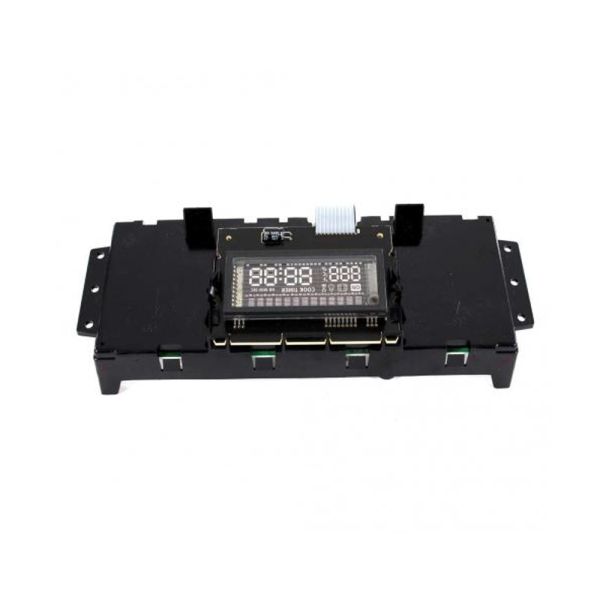
Whirlpool W11308431 Range Electronic Control Board W/Display

Special Price $200.78 Regular Price $335.59
In stock
Available Quantity:   1
SKU
W11308431

Product Description

The Whirlpool W11308431 Range Electronic Control Board regulates temperature, burner, and heating cycle of the oven based on the signals received from different sensors. It is possible to control the cooking process and its intensity to the required level. In this way, it assists in controlling the appliance’s operations and enables the user to have an easier and more accurate way of preparing meals and using the appliance.
Manufacturer

✓ This Product Replaces: W10871200
https://www.hnkparts.com/media/catalog/product/w/1/w11308431_whirlpool_hnkparts.png
Manufacturer Name: WHIRLPOOL
Product Number: W11308431
OEM Part Number: W11308431
Product Description: Cntrl-Elec

Choose the best Home Appliance parts and supplies from HnKParts!

  • Same Day Shipping

  • Best Quality And Best Price

  • Wide Range of Inventory

  • Best Customer Service

Have More Questions or Need Help to Place The Order?
Reach us at (866)723-0907 or [email protected]

Write Your Own Review
You're reviewing:Whirlpool W11308431 Range Electronic Control Board W/Display
Your Rating
Customer Questions
What maintenance is required for the Whirlpool W11308431 Electronic Control Board W/Display?

Keep the control board clean and free of moisture or grease by gently wiping with a soft, dry cloth. Inspect wiring connections for tightness and check for signs of corrosion. Always disconnect power before cleaning or servicing to prevent electric shock.

What are common issues with the Whirlpool W11308431 Electronic Control Board W/Display?

  • Range fails to heat properly.
  • Buttons or the display are unresponsive.
  • Error codes appear unexpectedly.
  • Settings do not save correctly.

Installation Steps

Step1: Unplug the range from power before starting.

Step2: Remove the back or front panel to access the control board.

Step3: Disconnect wiring harnesses from the old board.

Step4: Position the new board in place and reconnect all connectors.

Step5: Secure with screws provided.

Step6: Reattach the panel and restore power.

Step7: Test all functions to ensure the display and controls work correctly.