
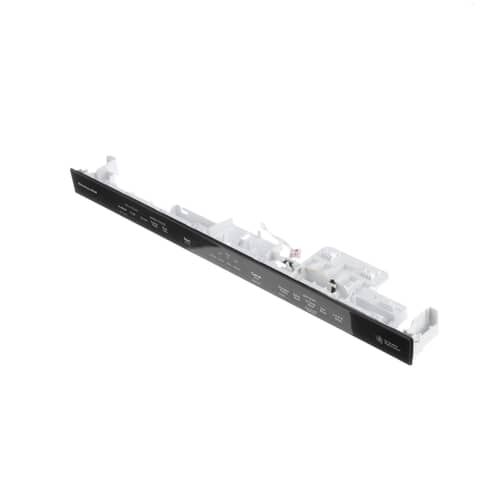
Whirlpool W11165145 Dishwasher Touchpad & Control Panel

Special Price $206.06 Regular Price $226.29
In stock
Available Quantity:   72
SKU
W11165145

Product Description

The Whirlpool W11165145 Dishwasher Console allows control of dishwashing cycles with ease, it is designed to be the user interface of the appliance and it sends commands to the internal system to select cycles, monitor, and customize. It is well-designed with intuitive buttons and offers efficient operation, optimal cleaning performance, and reliability, its durable construction and responsive controls make it an invaluable addition to dishes having a hassle-free dishwashing experience, leading to consistent results in terms of dishes being cleaned efficiently.
Console,
Manufacturer
https://www.hnkparts.com/media/catalog/product/w/1/w11165145_whirlpool_hnkparts.png

This Part Fits the Following Models (2)

Manufacturer Name: WHIRLPOOL
Product Number: W11165145
OEM Part Number: W11165145
Product Description: Console+Core

Choose the best Home Appliance parts and supplies from HnKParts!

  • Same Day Shipping

  • Best Quality And Best Price

  • Wide Range of Inventory

  • Best Customer Service

Have More Questions or Need Help to Place The Order?
Reach us at (866)723-0907 or [email protected]

Write Your Own Review
You're reviewing:Whirlpool W11165145 Dishwasher Touchpad & Control Panel
Your Rating
Customer Questions
What maintenance is required for the Whirlpool W11165145 Touchpad & Control Panel?

Verify that all touchpad buttons respond correctly. Wipe the surface with a damp cloth to remove food or liquid residue. Inspect connections to the control board for secure attachment. Check that indicator lights function as expected during cycles.

What are common issues with the Whirlpool W11165145 Touchpad & Control Panel?

  • Touchpad buttons sticking.
  • Dishwasher not starting when pressed.
  • Display not showing cycles correctly.
  • Lights flickering on control panel.

Installation Steps

Step1: Turn off power to the dishwasher at the circuit breaker.

Step2: Open the dishwasher door and remove the inner panel to access the control area.

Step3: Disconnect the wiring harnesses from the old touchpad.

Step4: Unscrew and remove the old control panel carefully.

Step5: Align and secure the new touchpad and control panel with screws.

Step6: Reconnect all wires, close the panel, restore power, and test all functions.
