
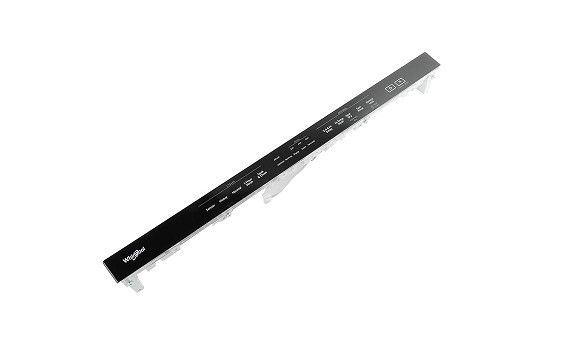
Whirlpool W11157079 Dishwasher Control Panel

Special Price $136.53 Regular Price $211.56
In stock
Available Quantity:   37
SKU
W11157079
✓ This Product Replaces: W11087931

Product Description

The Whirlpool W11157079 Control Panel is used to control the flow of the wash cycle and other settings in the dishwasher. The designed panel relays commands from the user to the internal control board of the appliance and controls the cycles, water temperature, and drying options. The buttons are well arranged and simple to identify, which makes the use of the machine simple and convenient for dishwashing. The heavy-duty build and use efficiency is capable of increasing its durability of use while serving the intended function.
Console,
Manufacturer
https://www.hnkparts.com/media/catalog/product/w/1/w11157079-51853.jpg

This Part Fits the Following Models (1)

Manufacturer Name: WHIRLPOOL
Product Number: W11157079
OEM Part Number: W11157079
Product Description: Console

Choose the best Home Appliance parts and supplies from HnKParts!

  • Same Day Shipping

  • Best Quality And Best Price

  • Wide Range of Inventory

  • Best Customer Service

Have More Questions or Need Help to Place The Order?
Reach us at (866)723-0907 or [email protected]

Write Your Own Review
You're reviewing:Whirlpool W11157079 Dishwasher Control Panel
Your Rating
Customer Questions
What maintenance is required for the Whirlpool W11157079 Control Panel?

Regularly wipe the dishwasher control panel with a soft, damp cloth to prevent buildup of grease or residue. Avoid chemicals to protect buttons and display. Ensure buttons are responsive and check for any moisture intrusion. Maintenance can ensure consistent performance and safety.

What are common issues with the Whirlpool W11157079 Control Panel?

  • Unresponsive or stuck buttons.
  • Display screen not illuminating properly.
  • Error codes appearing unexpectedly.
  • Intermittent communication with dishwasher components.

Installation Steps

Step1: Switch off Dishwasher power and water supply before starting.

Step2: Remove inner door panel and access old control panel.

Step3: Disconnect wiring harness carefully noting connections.

Step4: Install new panel secure screws and reconnect wiring.

Step5: Wear insulated gloves to avoid electrical shock.

Step6: Restore power and test all dishwasher operations.
