
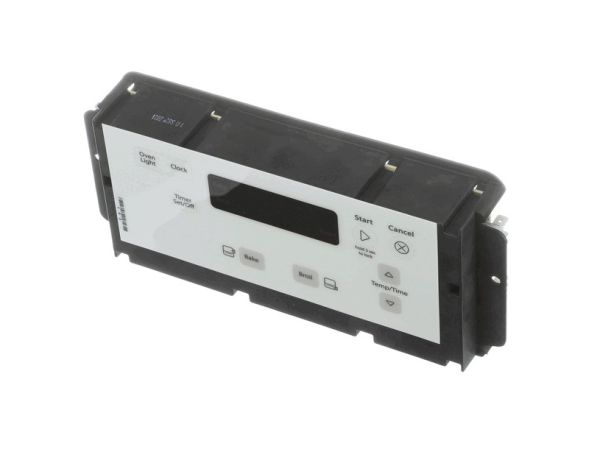
Whirlpool W11113908 Range Electronic Control Board W/Overlay

Special Price $136.24 Regular Price $152.95
In stock
Available Quantity:   12
SKU
W11113908

Product Description

The Whirlpool W11113908 Electronic Control Board is used to control and sense the range functions to ensure that it cooks at the right temperatures. This board is aimed at regulating temperature, time, and other important aspects of the device and operates through the control of the inputs and the triggering of the heating coils while ensuring even temperatures for cooking and providing error codes to help identify possible problems to increase the speed of troubleshooting.
Manufacturer

https://www.hnkparts.com/media/catalog/product/w/1/w11113908-41785.jpg
Manufacturer Name: WHIRLPOOL
Product Number: W11113908
OEM Part Number: W11113908
Product Description: Cntrl-Elec

Choose the best Home Appliance parts and supplies from HnKParts!

  • Same Day Shipping

  • Best Quality And Best Price

  • Wide Range of Inventory

  • Best Customer Service

Have More Questions or Need Help to Place The Order?
Reach us at (866)723-0907 or [email protected]

Write Your Own Review
You're reviewing:Whirlpool W11113908 Range Electronic Control Board W/Overlay
Your Rating
Customer Questions
What maintenance is required for the Whirlpool W11113908 Electronic Control Board With Overlay?

Regularly inspect the range control board for dust, spills, or loose connections. Clean gently with a dry cloth and avoid moisture exposure. Ensuring proper installation and avoiding physical impacts can prevent malfunction. Always disconnect power before servicing.

What are common issues with the Whirlpool W11113908 Electronic Control Board With Overlay?

  • Unresponsive touchpad or buttons.
  • Erratic temperature or timer settings.
  • Error codes displaying unexpectedly.
  • Intermittent or complete failure to start the range.

Installation Steps

Step1: Disconnect power to the range at the circuit breaker before starting the repair.

Step2: Remove the rear control panel cover to access the electronic control board assembly.

Step3: Label and disconnect the wire connectors from the old control board carefully.

Step4: Install the new control board and overlay in the same position, then reconnect all wiring securely.

Step5: Reattach the control panel cover, restore power, and test the oven and control functions for proper operation.