
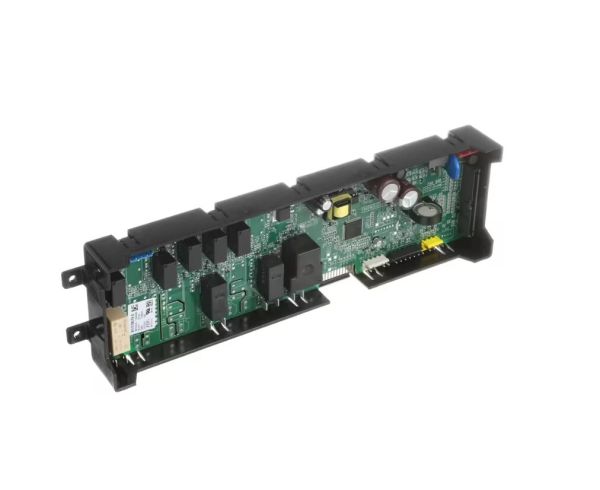
Whirlpool W11082269 Range Electronic Control Board

Special Price $253.57 Regular Price $335.59
In stock
Available Quantity:   53
SKU
W11082269

Product Description

The Whirlpool W11082269 Range Electronic Control Board regulates system signal processing and controlled operation in appliance systems. It is placed within the control enclosure and interfaces with heating elements, temperature sensors, user interface controls, relays, display components and wiring harness connections by using connectors and circuit pathways. The assembly processes input commands and executes control instructions to regulate appliance process. It provides range operations by controlling cooking functions, handling temperature settings, monitoring system status, coordinating heating cycles and ensuring consistent performance during baking and broiling operations.
Manufacturer

https://www.hnkparts.com/media/catalog/product/w/1/w11082269.jpg
Manufacturer Name: WHIRLPOOL
Product Number: W11082269
OEM Part Number: W11082269
Product Description: Cntrl-Elec+Core

Choose the best Home Appliance parts and supplies from HnKParts!

  • Same Day Shipping

  • Best Quality And Best Price

  • Wide Range of Inventory

  • Best Customer Service

Have More Questions or Need Help to Place The Order?
Reach us at (866)723-0907 or [email protected]

Write Your Own Review
You're reviewing:Whirlpool W11082269 Range Electronic Control Board
Your Rating
Customer Questions
What maintenance is required for the Whirlpool W11082269 Electronic Control Board?

Keep the oven control board area dry and free from grease, dust, and moisture buildup. Ensure stable electrical connections and avoid power surges by using a surge protector. Inspect wiring harnesses periodically for looseness or corrosion. Always disconnect power before servicing to prevent electrical hazards.

What are common issues with the Whirlpool W11082269 Electronic Control Board?

  • Unresponsive or flickering display panel.
  • Oven not heating due to control failure.
  • Error codes appearing on the screen.
  • Buttons or touchpad not registering inputs.
  • Intermittent power loss to oven operations.

Installation Steps

Step1: Disconnect oven power at the breaker to avoid electric shock.

Step2: Remove oven back panel using a screwdriver.

Step3: Disconnect wires and remove mounting screws.

Step4: Install new control board and secure with screws.

Step5: Reconnect wires correctly.

Step6: Reattach panel and restore power to test functionality.