
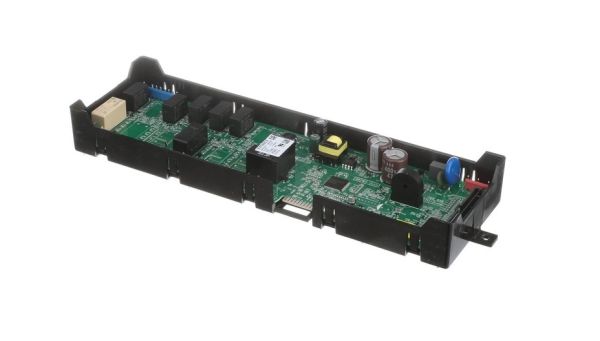
Whirlpool W11050557 Range Oven Electronic Control Board

Special Price $250.22 Regular Price $285.95
In stock
Available Quantity:   28
SKU
W11050557

Product Description

The Whirlpool W11050557 Electronic Control Board is used for the proper functioning of the range oven. Control the temperature, the cooking functions, and the display receive inputs and send signals to other parts of the oven. Through the signals from buttons and sensors, the board controls the heat and time to cook the food to the desired level. The benefits are as follows increased reliability and functionality and to maintain the desired temperature and extend the durability of the appliance.
Manufacturer

https://www.hnkparts.com/media/catalog/product/w/1/w11050557-80448.jpg
Manufacturer Name: WHIRLPOOL
Product Number: W11050557
OEM Part Number: W11050557
Product Description: Cntrl-Elec+Core

Choose the best Home Appliance parts and supplies from HnKParts!

  • Same Day Shipping

  • Best Quality And Best Price

  • Wide Range of Inventory

  • Best Customer Service

Have More Questions or Need Help to Place The Order?
Reach us at (866)723-0907 or [email protected]

Write Your Own Review
You're reviewing:Whirlpool W11050557 Range Oven Electronic Control Board
Your Rating
Customer Questions
What maintenance is required for the Whirlpool W11050557 Electronic Control Board?

Check all wiring connections for secure attachment and signs of residue or moisture. Test function buttons and display indicators for proper response. Ensure the board is properly seated in its housing and inspect for loose mounting hardware.

What are common issues with the Whirlpool W11050557 Electronic Control Board?

  • Oven not starting cycles.
  • Display showing incorrect characters.
  • Touchpad intermittently failing.
  • Display not showing correct status.

Installation Steps

Step1: Disconnect the oven from power to prevent electric shock.

Step2: Remove the control panel or front cover to access the board.

Step3: Detach all connectors and screws securing the old board.

Step4: Position the new board and reconnect all wiring securely.

Step5: Fasten mounting screws and ensure alignment.

Step6: Reattach panel, restore power, and run a test cycle.