
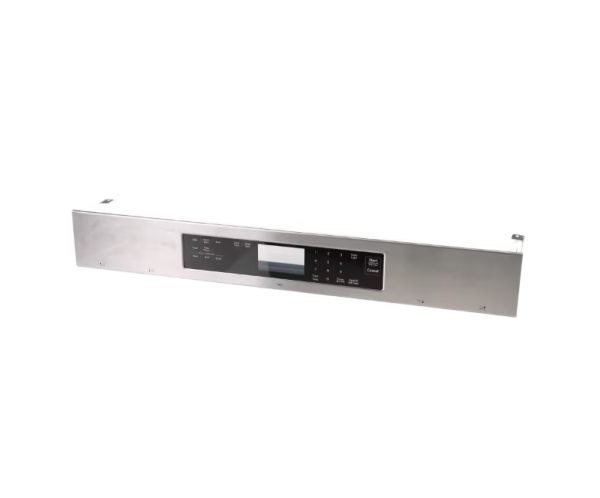
Whirlpool W11029431 Range Control Panel

Special Price $304.90 Regular Price $416.71
In stock
Available Quantity:   49
SKU
W11029431

Product Description

The Whirlpool W11029431 serves as an authentic alternative control panel for an extensive selection of Whirlpool, Jenn-Air, Kenmore, KitchenAid, Maytag, and other compatible models. This stainless steel panel acts as the primary centre for user interaction with your range. It typically houses the knobs, buttons, and digital display that you use to alter cooking modes, set temperatures, alter timings, and monitor the cooking process. A damaged control panel may result in an array of issues with your range, including complete failure to start, erroneous temperature control, and malfunctioning timers. Replacing an outdated control panel with the W11029431 preserves your range's full functionality, enabling you to cook and bake with greater efficiency.

Manufacturer
https://www.hnkparts.com/media/catalog/product/w/1/w11029431-10705.jpg
Manufacturer Name: WHIRLPOOL
Product Number: W11029431
OEM Part Number: W11029431
Product Description: Panl-Cntrl(Range)

Choose the best Home Appliance parts and supplies from HnKParts!

  • Same Day Shipping

  • Best Quality And Best Price

  • Wide Range of Inventory

  • Best Customer Service

Have More Questions or Need Help to Place The Order?
Reach us at (866)723-0907 or [email protected]

Write Your Own Review
You're reviewing:Whirlpool W11029431 Range Control Panel
Your Rating
Customer Questions
What maintenance is required for the Whirlpool W11029431 Control Panel?

Keep the range control panel clean by wiping it with a soft, damp cloth and mild detergent. Avoid abrasive cleaners that can scratch or damage buttons. Inspect regularly for loose connections or unresponsive controls. Proper care ensures accurate temperature settings and better operation.

What are common issues with the Whirlpool W11029431 Control Panel?

  • Range unresponsive or sticky buttons.
  • Incorrect or fluctuating temperature readings.
  • Display malfunctions or error codes.
  • Control panel not powering on.

Installation Steps

Step1: Disconnect power at breaker or unplug range, and ensure unit is completely cool before starting.

Step2: Remove mounting screws securing the existing control panel and gently lift it away from the range.

Step3: Carefully disconnect wiring harness connectors, and note the positions for correct reassembly.

Step4: Align the new control panel, reconnect the wiring harness securely, ensuring proper fit.

Step5: Reinstall screws, restore power, and test all range functions for safe operation.