
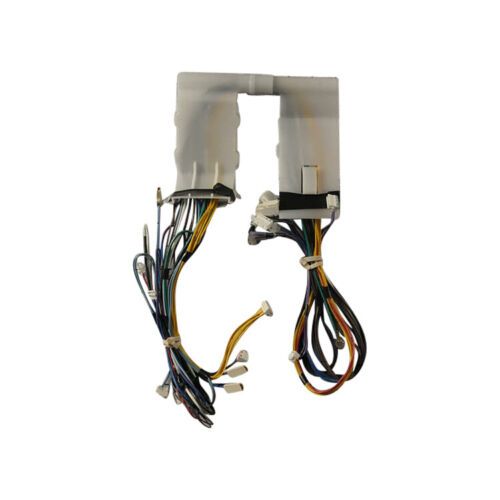
Whirlpool W11027902 Dishwasher Wire Harness

Special Price $87.33 Regular Price $112.95
In stock
Available Quantity:   17
SKU
W11027902

Product Description

The Whirlpool W11027902 Wire Harness is used for transmitting electricity to the dishwasher. Designed to helps in the proper functioning of the dishwasher by conducting electricity between the control board, motor and other parts of the dishwasher and simple installed to ensure that offers a secure connection between the two system and also ensures and does not break down frequently, and there is no electrical problem with the machine.
Wire,
Manufacturer

✓ This Product Replaces: W10744908, W10752249
https://www.hnkparts.com/media/catalog/product/w/1/w11027902_whirlpool_hnkparts.png
Manufacturer Name: WHIRLPOOL
Product Number: W11027902
OEM Part Number: W11027902
Product Description: Harns-Wire

Choose the best Home Appliance parts and supplies from HnKParts!

  • Same Day Shipping

  • Best Quality And Best Price

  • Wide Range of Inventory

  • Best Customer Service

Have More Questions or Need Help to Place The Order?
Reach us at (866)723-0907 or [email protected]

Write Your Own Review
You're reviewing:Whirlpool W11027902 Dishwasher Wire Harness
Your Rating
Customer Questions
What maintenance is required for the Whirlpool W11027902 Wire Harness?

Keep connectors clean and free from moisture or debris. Ensure all plugs are fully seated and wires are secured along their routing path. Avoid bending or twisting wires. Test the function after reconnecting to confirm consistent performance.

What are common issues with the Whirlpool W11027902 Wire Harness?

  • Electrical signals failing.
  • Wash functions not activating.
  • Error codes appearing unexpectedly.
  • Short circuits during operation.

Installation Steps

Step1: Disconnect the dishwasher from electrical power source.

Step2: Remove the lower access panel to reach internal wiring.

Step3: Carefully disconnect connectors from the existing wire harness.

Step4: Release clips holding the harness along its routing path.

Step5: Install the new harness following the same routing pattern.

Step6: Reconnect all terminals and restore power to verify operation.