The store will not work correctly in the case when cookies are disabled.
We collect user information to provide a better user experience and protect the security of our website. By continuing to use our website, you acknowledge the use of cookies.
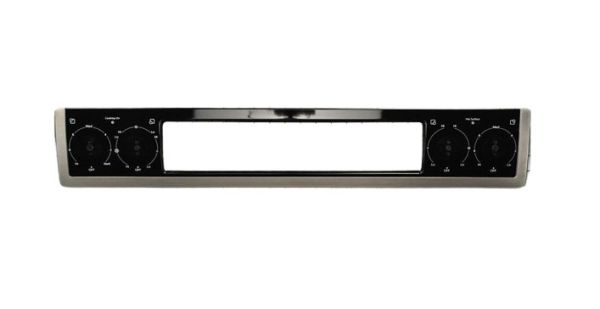
The Whirlpool W10884503 is an intuitive interface for your Whirlpool range's oven, essentially acting as the control panel.This panel serves as a central center for engaging with the oven's functions.Depending on the model, it tends to consist of knobs, buttons, and, in some cases, digital displays.When you use knobs to set temperatures or push buttons to select cooking modes, the control panel transforms your choices into electronic signals.These signals are subsequently delivered to the oven's electronic control board.The control board responds to these signals, instructing the oven's numerous components.For example, changing the temperature sends a signal to the control board, which subsequently adjusts the power output of the heating element to attain the desired temperature.In layman's terms, the W10884503 serves as your voice to the oven.
What maintenance is required for the Whirlpool W10884503 Control Panel?
Clean the control panel with a soft, damp cloth to remove grease and residue. Inspect wiring and connectors for secure attachment. Test all function buttons and indicator lights. Always disconnect power before servicing to ensure safety.
What are common issues with the Whirlpool W10884503 Control Panel?
Oven not responding to inputs.
Preset cooking programs failing.
Lights flickering on control panel.
Buttons sticking or intermittent response.
Installation Steps
Step1: Disconnect the oven from the electrical supply for safety.
Step2: Remove screws and pull off the existing control panel.
Step3: Carefully unplug all wiring harnesses from the old panel.
Step4: Mount the new control panel and secure with screws.
Step5: Restore power and verify that all oven functions operate correctly.