
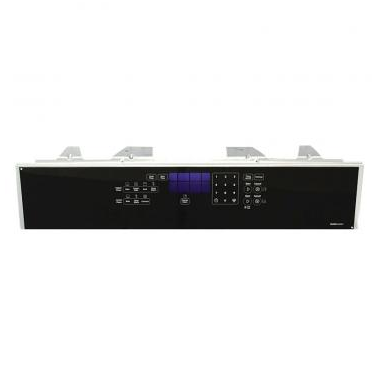
Whirlpool W10879587 Range Touchpad Membrane

Special Price $148.39 Regular Price $248.02
In stock
Available Quantity:   38
SKU
W10879587

Product Description

The Whirlpool W10879587 Range Membrane Switch is a necessary part for your Whirlpool range's control panel. It is the flat, touch-sensitive interface that interprets your choices when pressed. Fundamentally, whether you modify settings, select cooking modes, or turn on your range, you are dealing with membrane switches. When pressed, the membrane switch sends a signal to the range's control board, which interprets the command and performs the specified function. A damaged or defective membrane switch might cause unreliable oversight, making it difficult or impossible to use your range. Replacing a faulty switch with the Whirlpool W10879587 restores your control panel's functionality. This improves usability and allows you to better control your range.

Manufacturer
https://www.hnkparts.com/media/catalog/product/w/1/w10879587_whirlpool_hnkparts.png
Manufacturer Name: WHIRLPOOL
Product Number: W10879587
OEM Part Number: W10879587
Product Description: Swtch-Memb

Choose the best Home Appliance parts and supplies from HnKParts!

  • Same Day Shipping

  • Best Quality And Best Price

  • Wide Range of Inventory

  • Best Customer Service

Have More Questions or Need Help to Place The Order?
Reach us at (866)723-0907 or [email protected]

Write Your Own Review
You're reviewing:Whirlpool W10879587 Range Touchpad Membrane
Your Rating
Customer Questions
What maintenance is required for the Whirlpool W10879587 Touchpad Membrane?

Check that all touchpad buttons respond correctly without sticking. Inspect the membrane surface for spills or residue that could block signals. Ensure the connector aligns properly with the control board. Avoid pressing buttons excessively hard during use.

What are common issues with the Whirlpool W10879587 Touchpad Membrane?

  • Buttons not registering input.
  • Controls unresponsive.
  • Display not updating selected settings.
  • Range not starting selected cycles.

Installation Steps

Step1: Cut power to the range before beginning to avoid shocks.

Step2: Remove the control panel to access the existing touchpad.

Step3: Carefully disconnect ribbon cables and mounting hardware.

Step4: Align and attach the new touchpad, reconnecting all cables.

Step5: Secure screws and ensure touchpad sits flush.

Step6: Restore power and test all functions for responsiveness.