
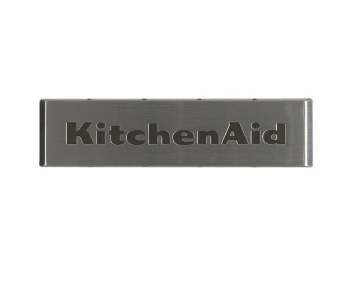
Whirlpool W10839793 Refrigerator Nameplate

$25.04
In stock
Available Quantity:   159
SKU
W10839793

Product Description

The Whirlpool W10839793 Refrigerator Nameplate is an identification and specification plate, that includes the model number, serial number, and electrical specifications that are helpful for maintenance and repair purposes. The nameplate is attached to the refrigerator and provides information on the compatibility of the product and its technical specifications. This assures that it works correctly and enables users to easily locate replacement parts, making the refrigerator more effective over its durability.
Manufacturer

✓ This Product Replaces: W10518672
https://www.hnkparts.com/media/catalog/product/w/1/w10839793_whirlpool_hnkparts.png
Manufacturer Name: WHIRLPOOL
Product Number: W10839793
OEM Part Number: W10839793
Product Description: Nameplate

Choose the best Home Appliance parts and supplies from HnKParts!

  • Same Day Shipping

  • Best Quality And Best Price

  • Wide Range of Inventory

  • Best Customer Service

Have More Questions or Need Help to Place The Order?
Reach us at (866)723-0907 or [email protected]

Write Your Own Review
You're reviewing:Whirlpool W10839793 Refrigerator Nameplate
Your Rating
Customer Questions
What maintenance is required for the Whirlpool W10839793 Nameplate?

To maintain the refrigerator nameplate, regularly wipe it with a soft, damp cloth to prevent dirt buildup and discoloration. Avoid abrasive cleaners to protect the finish. Inspect for secure attachment to ensure it doesn’t loosen, which could affect readability or appearance.

What are common issues with the Whirlpool W10839793 Nameplate?

  • Fading or discoloration over time due to exposure to sunlight or cleaning chemicals.
  • Peeling or lifting from the surface if adhesive weakens.
  • Scratches or minor dents from accidental contact.

Installation Steps

Step1: Unplug refrigerator for safety.

Step2: Clean mounting surface thoroughly.

Step3: Align nameplate tool with designated area.

Step4: Press firmly to secure adhesive backing.

Step5: Ensure proper alignment and level placement.

Step6: Reconnect power and inspect installation.