
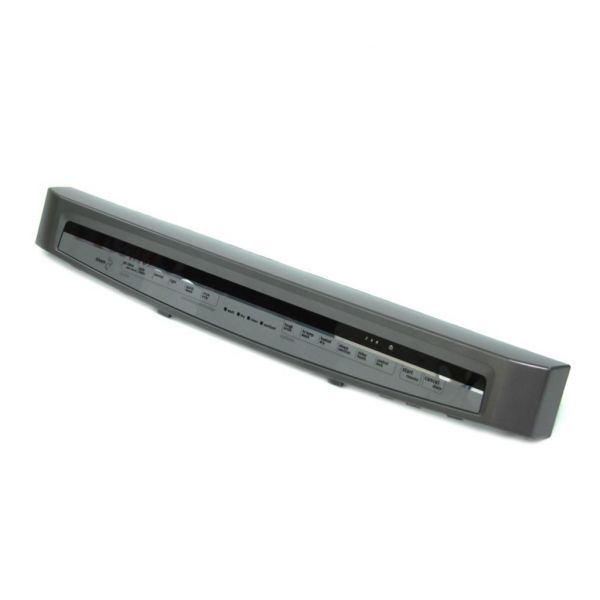
Whirlpool W10811169 Dishwasher Touchpad Control Panel SS

Special Price $196.59 Regular Price $217.95
In stock
Available Quantity:   65
SKU
W10811169

Product Description

The Whirlpool W10811169 Dishwasher Touchpad Control Panel ensures smooth operation by allowing precise cycle selection with a simple touch. It processes user commands instantly, sending signals to the dishwasher’s control board for accurate cycle execution. Designed for durability, it integrates seamlessly with the appliance, maintaining functionality over time. The stainless steel finish enhances kitchen aesthetics while resisting smudges and wear. Easy to install, it restores full operational efficiency, ensuring consistent performance and convenience.
Control Boards|Panels,
Manufacturer
✓ This Product Replaces: W10475787, W10398672
https://www.hnkparts.com/media/catalog/product/w/1/w10811169_whirlpool_hnkparts.png

This Part Fits the Following Models (49)

Showing 1-15 of 49
Manufacturer Name: WHIRLPOOL
Product Number: W10811169
OEM Part Number: W10811169
Product Description: Control Panel-Dishwasher

Choose the best Home Appliance parts and supplies from HnKParts!

  • Same Day Shipping

  • Best Quality And Best Price

  • Wide Range of Inventory

  • Best Customer Service

Have More Questions or Need Help to Place The Order?
Reach us at (866)723-0907 or [email protected]

Write Your Own Review
You're reviewing:Whirlpool W10811169 Dishwasher Touchpad Control Panel SS
Your Rating
Customer Questions
What maintenance is required for the Whirlpool W10811169 Touchpad Control Panel?

Clean the touchpad with a soft, damp cloth to remove detergent residue and fingerprints. Ensure all connectors are firmly seated. Test each cycle button and indicator light to confirm the control panel accurately communicates with the dishwasher.

What are common issues with the Whirlpool W10811169 Touchpad Control Panel?

  • Buttons not registering input.
  • Cycle selections ignored.
  • Display remaining blank.
  • Start button failing to activate.

Installation Steps

Step1: Turn off the power and water supply to the dishwasher.

Step2: Open the dishwasher door and remove the screws holding the front panel.

Step3: Detach the old touchpad control panel carefully.

Step4: Connect the new touchpad control panel wiring according to the original positions.

Step5: Secure the panel with screws and ensure it sits flush, and close the door.

Step6: Restore power and water, then run a test cycle to confirm functionality.
