
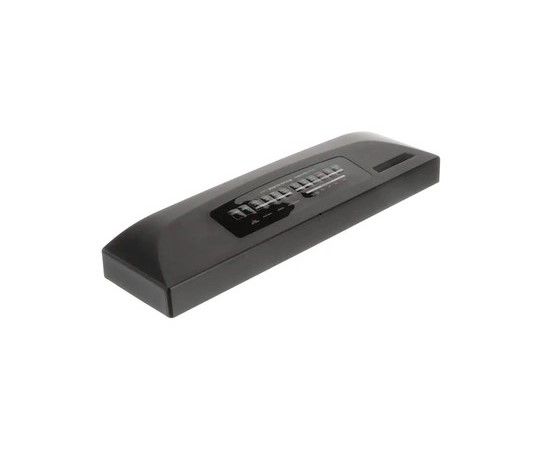
Whirlpool W10757838 Dishwasher Electronic Control Panel

Special Price $193.96 Regular Price $214.95
In stock
Available Quantity:   30
SKU
W10757838
✓ This Product Replaces: 9744112, 9744113, 9744115, 9744114

Product Description

The Whirlpool W10757838 Electronic Control Panel is used for controlling the dishwasher’s operations effectively. This control panel works through the use of signals to various parts of the machine to achieve better washing cycles, temperature, and drying and functions effectively in that can recognize commands and modify settings for better cleaning and enable to regain the functionality of the dishwasher and makes it convenient to use.
Manufacturer

https://www.hnkparts.com/media/catalog/product/w/1/w10757838-67619.jpg
Manufacturer Name: WHIRLPOOL
Product Number: W10757838
OEM Part Number: W10757838
Product Description: Cntrl-Elec

Choose the best Home Appliance parts and supplies from HnKParts!

  • Same Day Shipping

  • Best Quality And Best Price

  • Wide Range of Inventory

  • Best Customer Service

Have More Questions or Need Help to Place The Order?
Reach us at (866)723-0907 or [email protected]

Write Your Own Review
You're reviewing:Whirlpool W10757838 Dishwasher Electronic Control Panel
Your Rating
Customer Questions
What maintenance is required for the Whirlpool W10757838 Electronic Control Panel?

Regularly wipe the dishwasher control panel with a soft, damp cloth to prevent buildup of grease and residue. Avoid abrasive cleaners or excessive moisture. Checking for loose connections ensures proper operation. Keeping it dry can prevent electrical issues and ensures accurate touch responses.

What are common issues with the Whirlpool W10757838 Electronic Control Panel?

  • Buttons not responding or sticking.
  • Display screen fading or flashing.
  • Erratic or incorrect cycle selection.
  • Communication errors between panel and main control board.

Installation Steps

Step1: Disconnect electrical power to the dishwasher at the breaker before starting the repair.

Step2: Open the dishwasher door and remove the screws securing the inner door panel.

Step3: Carefully separate the control panel area and disconnect the wire harnesses from the old electronic control panel.

Step4: Install the new control panel in the same position and reconnect all wiring securely.

Step5: Reassemble the door panels, restore power, and run a short cycle to confirm proper button and display operation.