
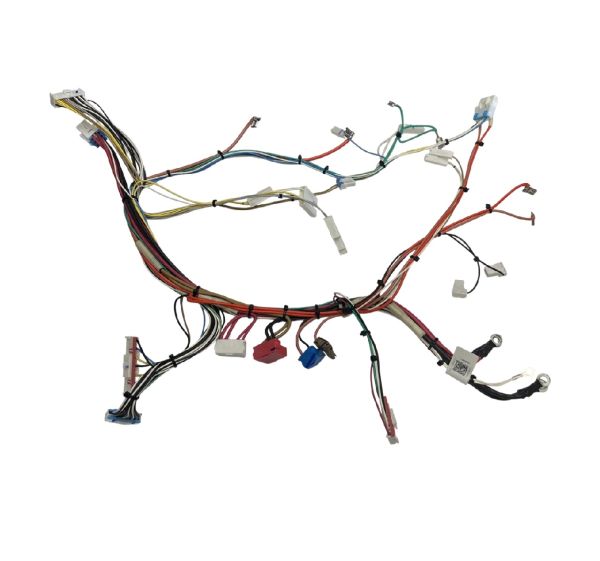
Samsung DG96-00807A Range Main Wire Harness

Special Price $159.91 Regular Price $173.14
In stock
Available Quantity:   1
SKU
DG96-00807A

Product Description

The Samsung DG96-00807A Range Main Wire Harness is an electrical distribution product that passes power and signal connections between the control systems of the collection and functional components of the appliance. Its purpose is to provide a structured and stable connection of circuits that can be used to supply components like burners, sensors, switches, and secure parts. The structure operates on a packaged system of insulated wires with equal connectors which are inserted in specific terminals across the appliance and is used during assembly or the change of the inner frame of the range.
Manufacturer

https://www.hnkparts.com/media/catalog/product/d/g/dg96-00807a-66730.jpg

This Part Fits the Following Models (3)

Write Your Own Review
You're reviewing:Samsung DG96-00807A Range Main Wire Harness
Your Rating
Customer Questions
What maintenance is required for the Samsung DG96-00807A Main Wire Harness?

Regularly inspect the range wire harness for signs of fraying, loose connections, or burnt spots. Ensure connections are tight and free from corrosion. Always disconnect power before handling to prevent electric shock. Keeping it clean prevents shorts and ensures accurate performance.

What are common issues with the Samsung DG96-00807A Main Wire Harness?

  • Loose or disconnected wires are causing intermittent power.
  • Burnt or melted insulation from overheating.
  • Short circuits affecting range operation.
  • Faulty connections leading to defective burners.

Installation Steps

Step1: Turn off range power at breaker to prevent electric shock.

Step2: Remove rear access panel of range carefully using proper tool.

Step3: Note original harness routing for reference before removal.

Step4: Disconnect old wire harness connectors gently without pulling wires.

Step5: Install new wire harness following same routing path exactly.

Step6: Secure all connectors tightly and inspect for proper fit.

Step7: Reattach panel, restore power, and test operation carefully.