
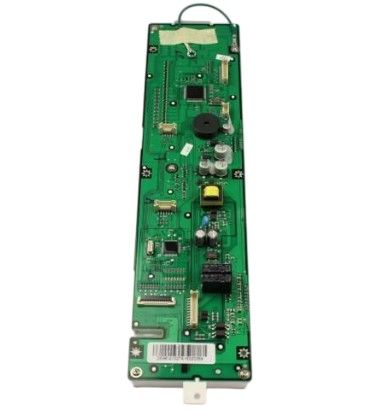
The Samsung DE96-01027A Range Display Board Module Assembly receives user input and interfaces the oven’s control system to handle cooking functions. The control panel on electric and gas ranges allowing for setting the temperatures, timers and cooking mode.
Please, mind that only logged in users can submit questions
Installation Steps
Step 1: Power is disconnected from the oven range. Either it is unplugged from the outlet or the circuit breaker is switched to the off setting.
Step 2: The screws securing the display board module assembly are taken out. Once all necessary screws are taken out, the assembly is removed and placed aside.
Step 3: The electrical connections from the existing display board module assembly are detached and eliminated entirely.
Step 4: The new DE96-01027A display board module assembly is acquired and the electrical connections are attached.
Step 5: The screws are reinserted to fasten the new display board module assembly securely in position.
Step 6: The oven range is reconnected to the wall outlet or the circuit breaker is flipped back on to restore electrical power.
Step 7: The oven range is verified to confirm that the new display board module assembly operates correctly.
Note that these instructions are served as general guidance and should always be referenced alongside the manufacturer's manual, when available.
