
The store will not work correctly in the case when cookies are disabled.
We collect user information to provide a better user experience and protect the security of our website. By continuing to use our website, you acknowledge the use of cookies.
Observance of Labor day 09/07, Monday we are closed [No shippings and deliveries ], Orders received after 3.00pm CST on 09/04/2026 will be shipping out on Tuesday 09/08/2026.
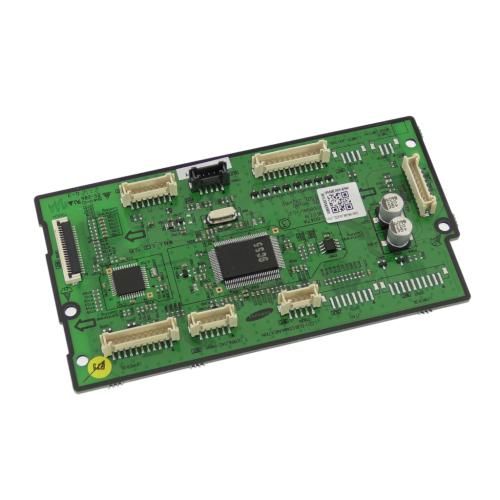
The Samsung DE94-03894A Oven PCB Assembly EEPROM is found in home microwaves to regulate electronic operations, so that cooking cycles are performed accurately. The element controls the signals among the sensors, buttons and display of the oven, controlling the time, temperature and set programs. It operates by storing configuration information and operating commands in the EEPROM, which is accessed by the control system to carry out instructions correctly.
What maintenance is required for the Samsung DE94-03894A PCB Assembly?
Regularly inspect the PCB assembly for signs of damage, loose connections, or burnt components. Ensure the oven is unplugged before any inspection to avoid electrical hazards. Keep the surrounding area clean and free from moisture or grease buildup. Proper handling and avoiding power surges supports maintain stable performance.
What are common issues with the Samsung DE94-03894A PCB Assembly?
Oven not powering on or intermittent operation.
Unresponsive control panel or incorrect display readings.
Failure to regulate temperature properly issues.
Error codes due to data corruption issues.
Installation Steps
Step1: Disconnect power at the oven to avoid electric shock.
Step2: Remove the oven’s rear or control panel cover.
Step3: Locate the existing PCB assembly and carefully disconnect all wiring harnesses.
Step4: Unscrew and remove the old board.
Step5: Install the new PCB, securing it with screws.
Step6: Reconnect all wires firmly.
Step7: Reattach the panel and restore power to test functionality.
