The store will not work correctly in the case when cookies are disabled.
We collect user information to provide a better user experience and protect the security of our website. By continuing to use our website, you acknowledge the use of cookies.
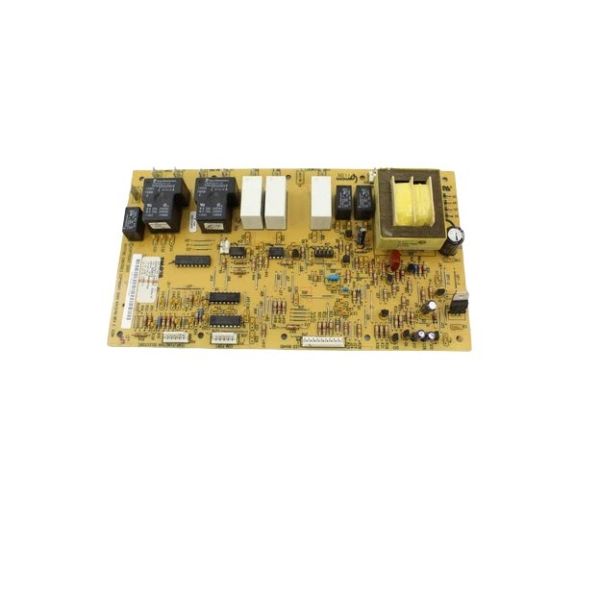
The Samsung DE81-06408A Microwave Service Board Controller helps control cooking in household ovens and manages signals sent through the appliance. This controller board is responsible for precise operation by handling input commands and power delivery inside the appliance. It gets inputs from the keypad, uses its microprocessor to understand them and sends power to the magnetron and turntable motor accordingly.
Step 1: The Samsung DE81-06408A SVC-BOARD CONTROLLER should be completely disconnected by removing the power cable from the rear of the appliance.
Step 2: The top cover of the unit should be lifted and the current SVC-Board Controller should be extracted.
Step 3: Any wires attached to the SVC-Board Controller should be detached, making sure that their positions are documented for future reference.
Step 4: All additional components should be gently taken off from the board, including screws, fan, heat sink, and thermal paste.
Step 5: The new SVC-Board Controller should be positioned onto the designated ports on the device and secured with screws.
Step 6: Any cables that were previously disconnected should be reattached to their respective ports.
Step 7: It should ensure that thermal paste is applied to the heat sink prior to it being re-mounted to the SVC-Board.
Step 8: The top cover of the device should be reinstalled and the power cable should be reconnected to the electrical outlet.
Step 9: The appliance should be activated and it should be verified whether the SVC-Board is operating properly.
It is essential to remember that these instructions are served as general guidance and should always be utilized alongside the manufacturer's manual, if one is accessible.