
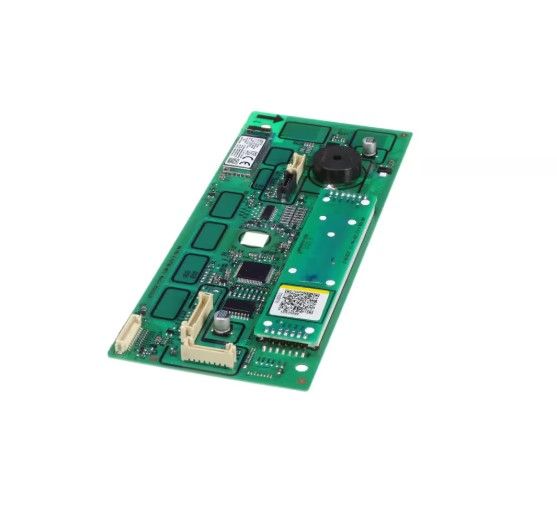
Samsung DC92-03079A Washing Machine Display PBA Module Assembly

Special Price $216.43 Regular Price $283.29
In stock
Available Quantity:   45
SKU
DC92-03079A

Product Description

The Samsung DC92-03079A Washing Machine Display PBA Module Assembly is fitted on the control panel of the front-load machine to control and display wash settings and cycle data. It is the primary interface between the machine and the user and it takes input commands and displays the status of the washer visually.
Manufacturer

https://www.hnkparts.com/media/catalog/product/d/c/dc92-03079a.jpg

This Part Fits the Following Models (3)

Write Your Own Review
You're reviewing:Samsung DC92-03079A Washing Machine Display PBA Module Assembly
Your Rating
Customer Questions
What maintenance is required for the Samsung DC92-03079A Display PBA Module Assembly?

Keep the washer control area clean by wiping the display panel with a soft, dry or slightly damp cloth. Avoid spraying liquids directly onto the display surface. Ensure detergent or water splashes do not remain on the panel. Disconnect power before accessing internal electronic components.

What are common issues with the Samsung DC92-03079A Display PBA Module Assembly?

  • Cycles stop unexpectedly during use.
  • Indicators light up incorrectly.
  • Touch controls become unresponsive or delayed.
  • Settings reset after power interruptions.

Installation Steps

Step1: Unplug the washing machine from the electrical outlet before servicing.

Step2: Remove screws securing the top or front control panel cover.

Step3: Lift the panel to access the display module and wiring connectors.

Step4: Disconnect the ribbon cable and wire harness from the old display board.

Step5: Install the new display module in the mounting position.

Step6: Reconnect all cables securely.

Step7: Restore power, and confirm the display operates correctly.