
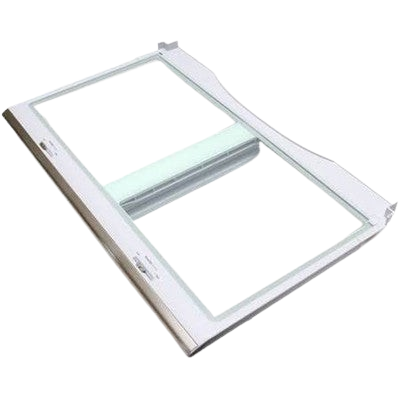
Samsung DA97-11287B Refrigerator Vegetable Cover Opus 4D

Special Price $142.82 Regular Price $161.95
In stock
Available Quantity:   9
SKU
DA97-11287B

Product Description

The Samsung DA97-11287B Refrigerator Vegetable Cover Opus 4D preserves and maintains the vegetable drawer and provides the appliance with a suitable operation in the system. It is fitted to the drawer compartment and it covers the bin to assist in controlling the level of temperature and humidity. It provides a stable and protective surface which preserves the freshness of food avoids spills and ensures the dependable functionality of the refrigerator.
Manufacturer

https://www.hnkparts.com/media/catalog/product/d/a/da97-11287b.jpg
Write Your Own Review
You're reviewing:Samsung DA97-11287B Refrigerator Vegetable Cover Opus 4D
Your Rating
Customer Questions
What maintenance is required for the Samsung DA97-11287B Vegetable Cover?

Wash the cover to remove residue and ensure smooth sliding. Confirm the cover fits securely in its compartment. Verify that stored items remain stable and airflow circulates evenly around vegetables during repeated daily use cycles.

What are common issues with the Samsung DA97-11287B Vegetable Cover?

  • Cover sticking when sliding.
  • Vegetables shifting inside.
  • Movement uneven across compartment.
  • Cover not seating properly.

Installation Steps

Step1: Open the refrigerator door and remove items stored on the shelf.

Step2: Lift the existing vegetable cover slightly to release it from the supports.

Step3: Slide the cover outward carefully from the guide slots.

Step4: Inspect the support frame and wipe away any moisture or debris.

Step5: Place the new cover onto the mounting tabs evenly.

Step6: Push gently until seated properly and confirm stable positioning.