The store will not work correctly in the case when cookies are disabled.
We collect user information to provide a better user experience and protect the security of our website. By continuing to use our website, you acknowledge the use of cookies.
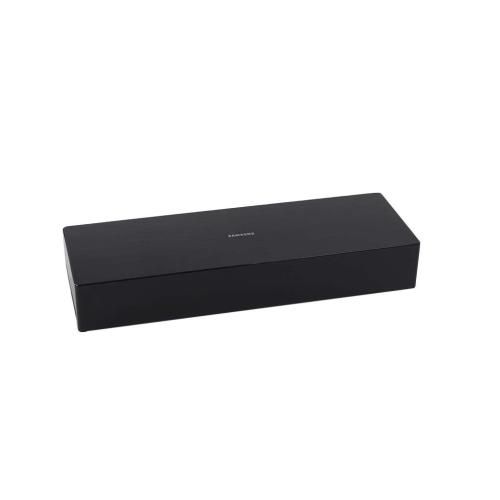
The Samsung BN96-46074K TV PCB P-Assembly is an integral part for the processing and management of electrical signals in television. It helps to connect the various parts, ensuring that all parts of the TV communicate effectively to deliver a better results.
Supporting television electronic operation, the Samsung BN96-46074K TV PCB Assembly P-Type is an OEM circuit board assembly used within the applicable Samsung television. The assembly provides the integrated electronic circuitry for its designated function within the TV and serves as a board-level component of the television's internal electronics.
Printed Circuit Board Assembly:
The PCB assembly provides an integrated circuit platform for the electronic components incorporated into the board. Its assembled configuration allows the circuitry and associated connections to function as a designated board assembly within the television. The P-Type designation identifies the specific assembly configuration of this board.
Television Circuit Integration:
Within the television, the PCB assembly functions as part of the internal electronic hardware that supports the TV's designated operation. Its board-level circuitry provides the electronic interface between the assembly and the applicable television system.
Replacement Guidelines:
The Samsung BN96-46074K TV PCB Assembly P-Type may be appropriate for replacement when the existing PCB assembly is damaged or no longer performs its intended electronic function. Matching the television model and existing PCB identification helps confirm the appropriate replacement assembly.
Loss of functions associated with the PCB assembly.
Equipment Compatibility:
The Samsung BN96-46074K TV PCB Assembly P-Type is compatible with the Samsung QN75Q7FNAFXZA television model. The assembly is identified by OEM part number BN96-46074K. Match the television model and existing PCB identification before selecting this assembly.
What maintenance is required for the Samsung BN96-46074K PCB P-Assembly?
Maintain the PCB by keeping the tv in a dust-free, well-ventilated surrounding to prevent overheating. Avoid moisture exposure and ensure secure electrical connections. Regularly inspect for signs of damage or corrosion. Always disconnect power before handling to ensure safety.
What are common issues with the Samsung BN96-46074K PCB P-Assembly?
No power or failure to start.
Intermittent display or signal loss.
HDMI or input ports not responding.
Overheating causing shutdowns.
Distorted or no audio output.
What is the Samsung BN96-46074K TV PCB Assembly P-Type used for?
The Samsung BN96-46074K provides the assembled electronic circuitry used within the compatible Samsung television.
What does the P-Type designation mean on BN96-46074K?
The P-Type designation refers to the specific configuration of this Samsung television PCB assembly.
How does a TV PCB assembly support the television's electronic system?
The assembly provides the board-level circuitry required for its designated electronic application within the television.
What can indicate that the PCB assembly is no longer functioning properly?
Abnormal television operation, intermittent operation, loss of associated electronic functions, or physical damage to the board can indicate a problem with the assembly.
What information should be matched when selecting this Samsung PCB assembly?
The Samsung television model and existing PCB identification should be matched with the product information to confirm the applicable assembly.
Installation Steps
Step1: Power off the TV and unplug to avoid shock and discharge static electricity.
Step2: Remove back panel screws carefully and open the rear cover.
Step3: Locate the old PCB assembly and gently disconnect ribbon cables.
Step4: Install new PCB, align connectors firmly, and secure screws.
Step5: Reassemble the back panel and test power on before final use.
Step6: Ensure no loose cables remain and keep hands dry during testing.