
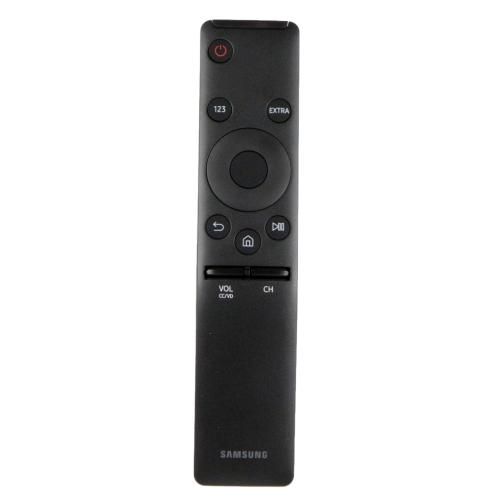
Samsung BN59-01295A Television Smart Touch Remote Control

$25.02
Out of stock
Available Quantity:   0
SKU
BN59-01295A

Product Description

The Samsung BN59-01295A Smart Touch Remote Control is used to allow navigation channels and settings as well as access applications on the television. Designed with a touchpad and voice command, eliminating the need for many buttons. One can directly switch between channels, search for content, or adjust volume, with simple swiping or tapping, or just voice commands. Does not require multiple remotes to be changed as it is compatible with most systems and the Bluetooth feature makes it responsive with no delay.
TV Parts, TV Remotes,
Manufacturer
https://www.hnkparts.com/media/catalog/product/b/n/bn59-01295a-1.jpg

This Part Fits the Following Models (3)

Write Your Own Review
You're reviewing:Samsung BN59-01295A Television Smart Touch Remote Control
Your Rating
Customer Questions
What maintenance is required for the Samsung BN59-01295A Smart Touch Remote Control?

Keep the remote clean by gently wiping it with a soft, dry cloth to remove dust and grime. Avoid liquid contact to prevent damage. Regularly check batteries and replace them safely. Store it away from extreme heat to maintain performance.

What are common issues with the Samsung BN59-01295A Smart Touch Remote Control?

  • Unresponsive buttons or touch functions.
  • Connectivity problems with the TV.
  • Battery draining quickly.
  • Signal interference or range limitations.

Installation Steps

Step1: Insert batteries into remote, ensuring correct polarity.

Step2: Turn on TV and ensure it is powered and in pairing mode.

Step3: Point remote at TV sensor and press home back buttons to initiate pairing.

Step4: Wait for on-screen confirmation that the remote is successfully paired.

Step5: Test navigation, volume, and voice functions to ensure proper operation.

Step6: Keep away from moisture, and replace batteries if response weak for safety.
