
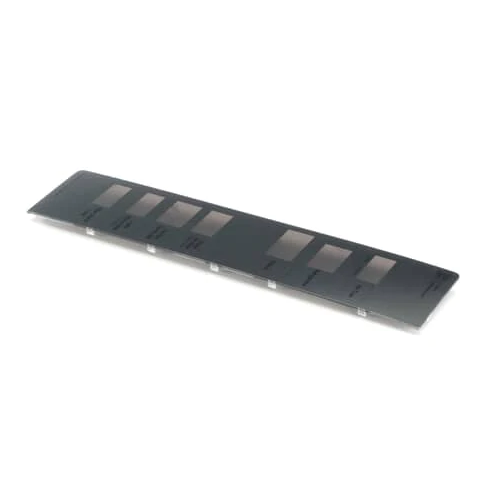
LG MCK66585130 Refrigerator Display Cover

Special Price $122.59 Regular Price $143.95
Out of stock
Available Quantity:   0
SKU
MCK66585130

Product Description

The LG MCK66585130 Refrigerator Display Cover is an essential part that protects the electronic display part of the appliance and does not expose it to the outside, but leaves indicators visible. It works by masking and shielding the display interface without preventing the view of operational readings. This is a cover that is fitted on the front control panel of the refrigerator and is positioned at the same level as the screen and is held in position by clips or fasteners.
Manufacturer

https://www.hnkparts.com/media/catalog/product/m/c/mck66585130_lge_hnkparts.png
Manufacturer Name: LGE
Product Number: MCK66585130
OEM Part Number: MCK66585130
Product Description: Cover-Display

Choose the best Home Appliance parts and supplies from HnKParts!

  • Same Day Shipping

  • Best Quality And Best Price

  • Wide Range of Inventory

  • Best Customer Service

Have More Questions or Need Help to Place The Order?
Reach us at (866)723-0907 or [email protected]

Write Your Own Review
You're reviewing:LG MCK66585130 Refrigerator Display Cover
Your Rating
Customer Questions
What maintenance is required for the LG MCK66585130 Display Cover?

To maintain the refrigerator display cover, gently wipe it with a soft, damp cloth to remove dust and fingerprints. Avoid chemicals that may damage the surface. Regular cleaning ensures clear visibility and prevents buildup that could affect display readability. Handle carefully to avoid cracking or scratching.

What are common issues with the LG MCK66585130 Display Cover?

  • Cracks or scratches on the display cover surface.
  • Display fogging or condensation buildup.
  • Loose or misaligned fit causing rattling noises.
  • Clouding or discoloration reducing display visibility.

Installation Steps

Step1: Switch off refrigerator and unplug power supply for safety reasons.

Step2: Remove existing display cover carefully using proper screwdriver with caution.

Step3: Align new cover with mounting clips and display panel ensure proper alignment.

Step4: Secure screws evenly without overtightening.

Step5: Restore power and check display function confirm all segments work.

Step6: Wear protective gloves to avoid sharp edges.

Step7: Ensure correct model compatibility before installation.