
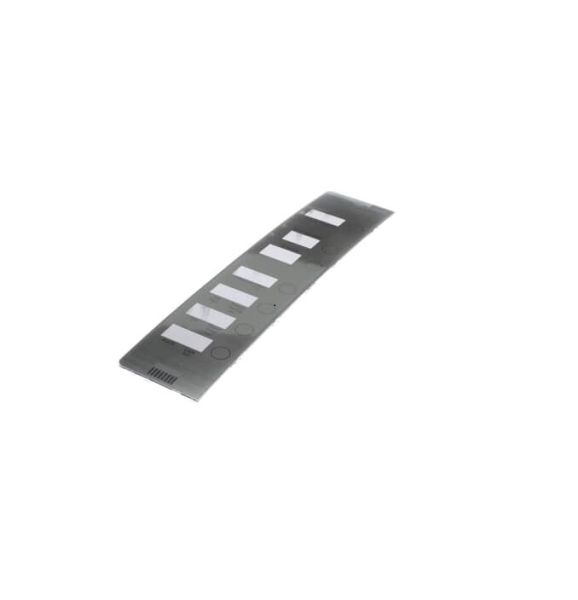
LG MCK66585116 Refrigerator Display Cover

Special Price $105.22 Regular Price $131.95
Out of stock
Available Quantity:   0
SKU
MCK66585116

Product Description

The LG MCK66585116 Refrigerator Display Cover serves to shield the internal display panel of the refrigerator from dust, moisture, and other forms of damage. This cover helps the refrigerator to operate as expected, preventing dust from accumulating on the touch panel or display screen. It is easy to install making it convenient to use and the protection it offers assist in preserving the refrigerator efficiency in the long run. The cover also helps to prolong the life of the display and also makes the kitchen area to be cleaner and more efficient.
Manufacturer

https://www.hnkparts.com/media/catalog/product/m/c/mck66585116-75191.jpg
Manufacturer Name: LGE
Product Number: MCK66585116
OEM Part Number: MCK66585116
Product Description: Cover-Display

Choose the best Home Appliance parts and supplies from HnKParts!

  • Same Day Shipping

  • Best Quality And Best Price

  • Wide Range of Inventory

  • Best Customer Service

Have More Questions or Need Help to Place The Order?
Reach us at (866)723-0907 or [email protected]

Write Your Own Review
You're reviewing:LG MCK66585116 Refrigerator Display Cover
Your Rating
Customer Questions
What maintenance is required for the LG MCK66585116 Display Cover?

Regularly wipe the display cover with a soft, damp cloth to remove dust and smudges. Avoid abrasive cleaners to prevent scratches. Inspect for cracks or loose fittings, ensuring it remains securely attached. This can maintain clear visibility and better operation.

What are common issues with the LG MCK66585116 Display Cover?

  • Cracks or chips from impact.
  • Scratches reducing display clarity.
  • Loose or misaligned cover affecting readability.
  • Condensation or fogging inside the cover.

Installation Steps

Step1: Turn off refrigerator power and unplug unit for safety.

Step2: Wear gloves to avoid sharp edge injury.

Step3: Remove existing display cover carefully using screwdriver.

Step4: Align new cover with mounting clips properly.

Step5: Secure screws evenly without over-tightening or stripping threads.

Step6: Ensure edges are sealed and no gaps remain.

Step7: Restore power and test display operation.

Step8: Check alignment and finish panel fit properly securely.