
The store will not work correctly in the case when cookies are disabled.
We collect user information to provide a better user experience and protect the security of our website. By continuing to use our website, you acknowledge the use of cookies.
In the Observance of Memorial Day No Shippings or Deliveries on Monday, 05/25. Second day air orders on 05/21 and next day air orders on 05/22 will be delivered on Tuesday, 05/26.
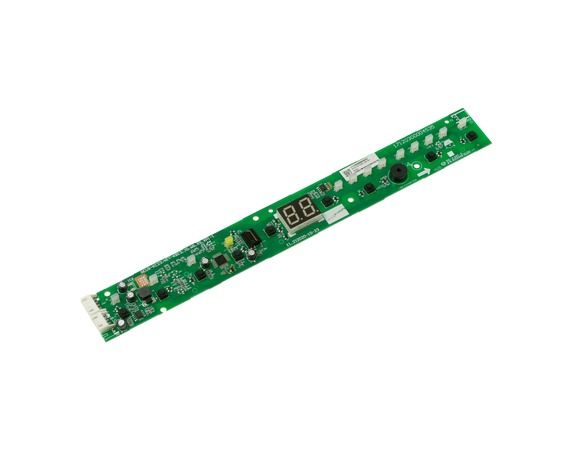
The General Electric WJ26X28114 Air Conditioner User Interface Housing & Board control board is used to control the appliance. It is located behind the front control panel and provides the physical enclosure and electronic circuit board, which is then supplied by user functionalities like mode, temperature, and fan settings. By normal use, it converts these inputs to signals that are sent to the control system of the unit to change cooling functions. Its front location is designed to make it easier to interact and connect the user interface with the internal control network.
What maintenance is required for the General Electric WJ26X28114 User Interface Housing & Board?
Clean the interface housing and board with a soft, damp cloth to remove dust. Ensure all buttons, touchpads, and connectors are seated properly. Verify that display indicators and settings respond consistently during a test cycle.
What are common issues with the General Electric WJ26X28114 User Interface Housing & Board?
Buttons do not respond consistently.
Display indicators remain dim or uneven.
Settings do not register when selected.
Touchpads misalign slightly.
Installation Steps
Step1: Unplug the air conditioner to prevent electrical shock.
Step2: Remove the front panel or control cover.
Step3: Disconnect wires from the old interface board carefully.
Step4: Install the new housing and board, reconnecting all wires correctly.
Step5: Secure the panel with screws and ensure the board sits firmly.
Step6: Power on and test all control functions for proper operation.
