
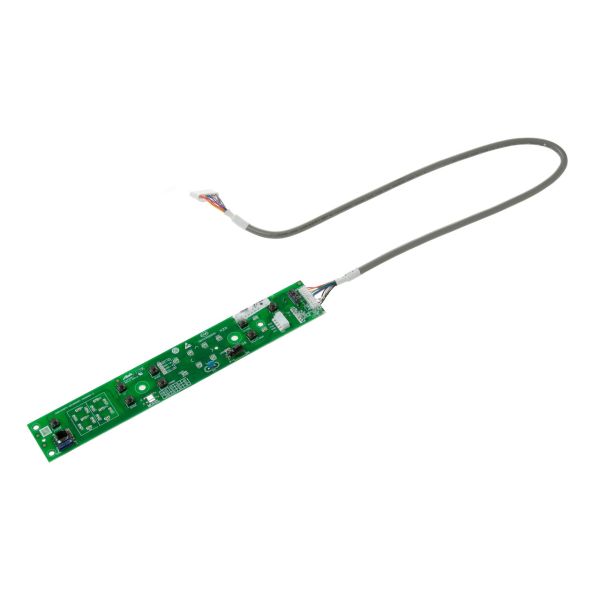
General Electric WJ26X24348 Air Conditioner UI Board

Special Price $55.55 Regular Price $65.95
In stock
Available Quantity:   89
SKU
WJ26X24348

Product Description

The General Electric WJ26X24348 Air Conditioner User Interface Board controls system operations by converting input commands into electronic signals. It transmits information to internal control parts to control cooling cycles, fan speeds and operating modes. This board is attached to the back of the air conditioner control panel to interface user selections with the electronic control system of the unit.
Manufacturer

https://www.hnkparts.com/media/catalog/product/w/j/wj26x24348.jpg

This Part Fits the Following Models (2)

Write Your Own Review
You're reviewing:General Electric WJ26X24348 Air Conditioner UI Board
Your Rating
Customer Questions
What maintenance is required for the General Electric WJ26X24348 UI Board?

Keep the UI board surface clean and dry. Wipe the control buttons with a soft, damp cloth. Ensure all mounting screws are secure and the board is properly seated to maintain smooth temperature adjustments and control operation.

What are common issues with the General Electric WJ26X24348 UI Board?

  • Buttons sticking or failing to depress.
  • Display misalignment affecting readability.
  • Board shifting within the housing.
  • Temperature settings not adjusting smoothly.

Installation Steps

Step1: Unplug the air conditioner to prevent electrical shock.

Step2: Remove the front panel to access the existing UI board.

Step3: Carefully disconnect all wiring connectors from the old board.

Step4: Position the new UI board in place and secure with screws.

Step5: Reconnect all wiring, and test the unit for proper control operation.