
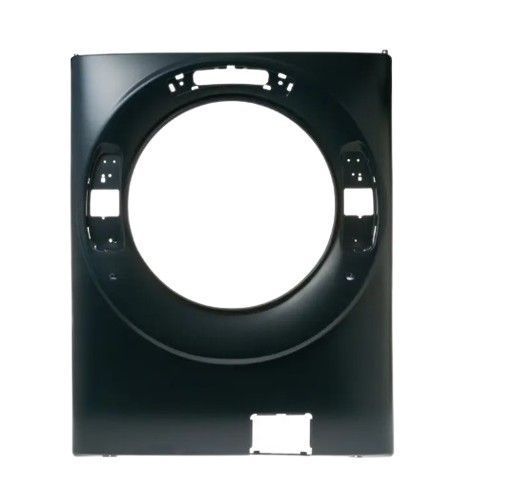
The General Electric WH13X30347 Washing Machine Front Panel Royal Sapphire is a user interface that allows the selection of programs and the start of a cycle, sending commands to the internal electronics of the washer. It is attached to the front side of the washing machine, which corresponds to the structure of the control housing. The front panel is mounted on the appliance frame, secured to maintain proper positioning and integrated into the washer’s structure to enable stable operation of wash programs and settings.
Step 1: The necessary tools and replacement components required for the task will be gathered. A screwdriver, the new GE WH13X30347 Front Panel Royal Sapphire (or any additional replacement parts if multiple items are being changed out), along with potentially a few other tools to detach screws and/or pry open the current panel will be required.
Step 2: The dryer will be disconnected from the electrical outlet and the power supply will be deactivated. The screws located at the rear of the dryer will be taken out to expose the interior of the unit.
Step 3: The current front panel will be gently taken off and set aside. Any loose wiring or damaged clips will be inspected and reconnected if needed.
Step 4: The new panel will be positioned onto the dryer and it will be ensured that all pins are correctly aligned in their respective slots. The new panel will be fastened using the specified screws, making certain that it is securely in place.
Step 5: The power will be reactivated and it will be verified that the panel operates correctly.
Step 6: Any screws or components that may have been taken out will be replaced.
Step 7: A test on the machine will be conducted to confirm that the repair was effective.
Please remember that these instructions are served as general guidance and should always be utilized alongside the manufacturer's manual, if it is accessible.
