
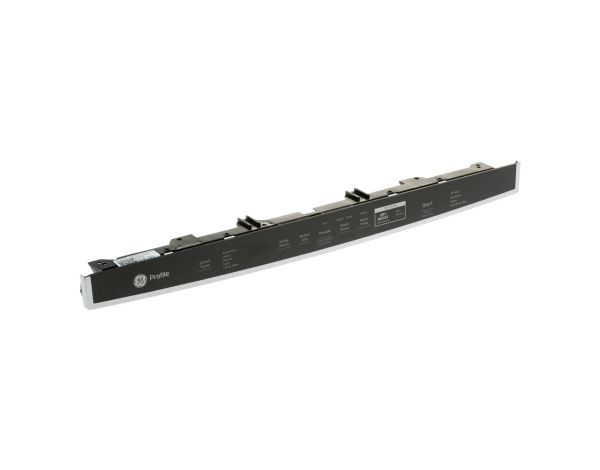
Ge WD21X32125 Dishwasher Configured Top UI Control With Cover

Special Price $190.01 Regular Price $213.95
In stock
Available Quantity:   14
SKU
WD21X32125

Product Description

The General Electric WD21X32125 Configured Top-UI Control W/Cover regulates user inputs and translates choices into electronic commands to perform dishwasher functions. It takes the inputs from buttons or touch pads, and converts them into signals that control wash cycles, water temperature, rinsing duration, and drying processes.
Manufacturer

https://www.hnkparts.com/media/catalog/product/w/d/wd21x32125.jpg

This Part Fits the Following Models (4)

Write Your Own Review
You're reviewing:Ge WD21X32125 Dishwasher Configured Top UI Control With Cover
Your Rating
Customer Questions
What maintenance is required for the GE WD21X32125 UI Control With Cover?

Wipe the interface gently using a soft cloth to maintain touch responsiveness. Ensure the protective cover remains securely positioned. Prevent moisture from entering the control area. Periodically verify connections to support accurate command input and consistent electronic functionality.

What are common issues with the GE WD21X32125 UI Control With Cover?

  • Touch controls not responding.
  • Display failing to illuminate.
  • Intermittent input recognition.
  • Unresponsive control selections.

Installation Steps

Step1: Disconnect the dishwasher power supply before installation.

Step2: Open door and remove the inner panel screws carefully.

Step3: Disconnect the wiring harness from the old UI control assembly.

Step4: Remove the defective top UI control with cover.

Step5: Install new UI control with cover and reconnect the wiring securely.

Step6: Reassemble door panel and test full control operations.