
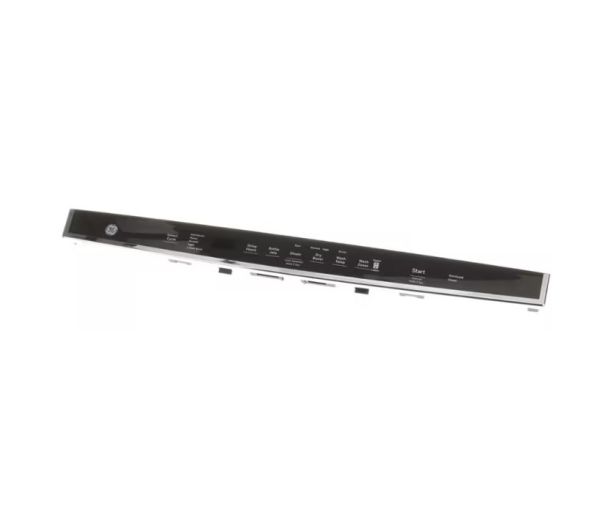
General Electric WD21X32122 Dishwasher Top Configured UI Control Panel W/Cover

Special Price $149.55 Regular Price $171.95
In stock
Available Quantity:   45
SKU
WD21X32122

Product Description

The General Electric WD21X32122 Dishwasher Top Configured UI Control Panel W/Cover provides an accurate regulation over the wash cycle and settings so that the system can perform maximum cleaning. The user interface panel is designed to fit on the upper front part of compatible GE dishwashers and has well-labeled buttons with a protective cover that makes it easy to use.
Manufacturer

https://www.hnkparts.com/media/catalog/product/w/d/wd21x32122_1.jpg

This Part Fits the Following Models (7)

Write Your Own Review
You're reviewing:General Electric WD21X32122 Dishwasher Top Configured UI Control Panel W/Cover
Your Rating
Customer Questions
What maintenance is required for the General Electric WD21X32122 UI Control Panel With Cover?

Wipe the UI panel and cover with a soft, damp cloth to remove detergent residue and spills. Verify that buttons respond correctly and all wiring connections remain secure for reliable cycle selection and display functionality.

What are common issues with the General Electric WD21X32122 UI Control Panel With Cover?

  • Touchpad not register inputs.
  • Cycle selection not activating.
  • Indicators showing incorrect status.
  • Display flickering intermittently.

Installation Steps

Step1: Open the dishwasher door and remove the existing control panel.

Step2: Carefully detach the old panel and cover.

Step3: Connect the wiring harnesses to the new control panel.

Step4: Secure the panel and cover with screws.

Step5: Restore power and run a short cycle to test all functions.