
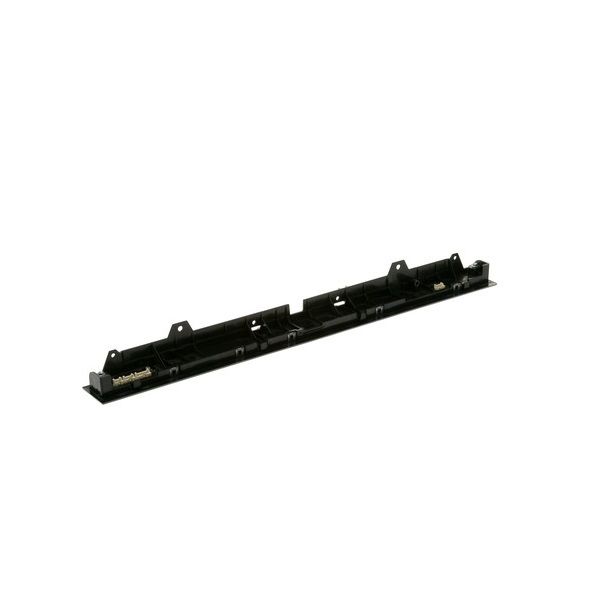
GE WD21X31880 Dishwasher Configured User Interface Control W/Cover

Special Price $214.34 Regular Price $241.95
In stock
Available Quantity:   3
SKU
WD21X31880

Product Description

The General Electric WD21X31880 Dishwasher Configured User Interface Control W/Cover is fitted on the front control panel of the compatible GE models, where it processes all user input and command functions and controls them. It operates by getting the user selection signal via the physical buttons or touch input and translates the signal to the onboard internal control board to trigger the respective functions.
Manufacturer

✓ This Product Replaces: WD21X25387, WD21X28778
https://www.hnkparts.com/media/catalog/product/w/d/wd21x31880.jpg
Write Your Own Review
You're reviewing:GE WD21X31880 Dishwasher Configured User Interface Control W/Cover
Your Rating
Customer Questions
What maintenance is required for the GE WD21X31880 User Interface Control With Cover?

Clean the interface gently using a soft cloth to maintain responsiveness. Ensure the protective cover remains securely installed. Prevent moisture intrusion near control areas. Periodically verify electrical connections to support accurate input recognition and smooth system functionality.

What are common issues with the GE WD21X31880 User Interface Control With Cover?

  • Touch controls not responding.
  • Display failing to illuminate.
  • Control panel not powering on.
  • Settings not registering properly.

Installation Steps

Step1: Turn off dishwasher power at the breaker before starting.

Step2: Open the door and remove the inner panel screws carefully.

Step3: Disconnect the wiring harness from the old user interface control.

Step4: Remove the faulty UI control with a cover from the mounting area.

Step5: Install the new unit and reconnect wiring securely.

Step6: Reassemble the panel and test all control operations.