
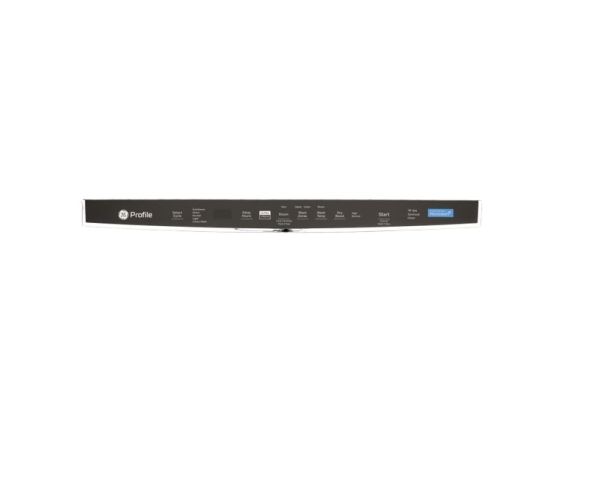
GE WD21X31099 Dishwasher Control Panel Configured Top User Interface W/Cover

Special Price $163.33 Regular Price $182.95
In stock
Available Quantity:   8
SKU
WD21X31099

Product Description

The General Electric WD21X31099 Dishwasher Configured-Top UI Control W/Cover receives user interface inputs and converts them into electronic control commands. It translates touchpad or button choices into signals that control wash cycles, water temperature, rinsing and drying cycles.
Manufacturer

https://www.hnkparts.com/media/catalog/product/w/d/wd21x31099.jpg

This Part Fits the Following Models (4)

Write Your Own Review
You're reviewing:GE WD21X31099 Dishwasher Control Panel Configured Top User Interface W/Cover
Your Rating
Customer Questions
What maintenance is required for the GE WD21X31099 User Interface With Cover?

Wipe the control panel regularly to remove detergent residue and maintain clarity. Avoid using abrasive cleaners that could damage markings. Ensure the cover remains properly aligned. Inspect connections periodically to maintain accurate input response and proper electronic operation.

What are common issues with the GE WD21X31099 User Interface With Cover?

  • Buttons responding inconsistently.
  • Display flickering during operation.
  • Cycle selections not activating.
  • Indicator lights failure.

Installation Steps

Step1: Disconnect electrical power at the breaker before starting.

Step2: Open the dishwasher door and remove the inner panel screws carefully.

Step3: Detach the existing control panel by unplugging all wire connectors.

Step4: Remove the old interface and clean the mounting surface.

Step5: Position the new unit and secure it with screws.

Step6: Reconnect wiring, restore power, and verify controls respond correctly.