
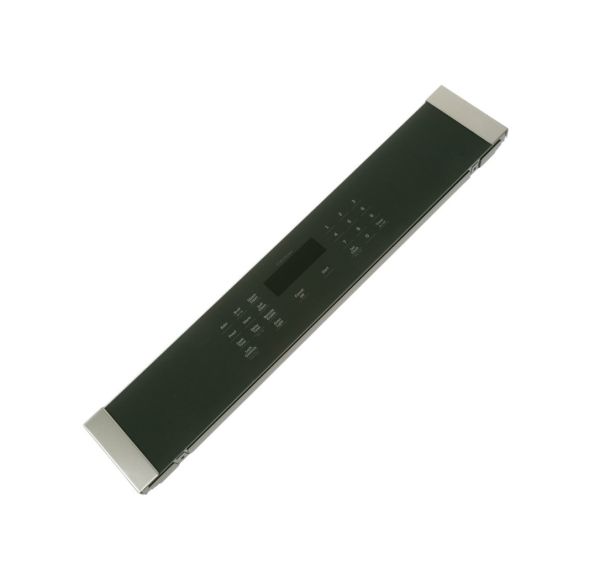
GE WB27X39809 Wall Oven LCD UI Control Panel Stainless

Special Price $165.83 Regular Price $185.95
In stock
Available Quantity:   13
SKU
WB27X39809

Product Description

The GE WB27X39809 Wall Oven LCD UI Control Panel Stainless that allows users to choose, view and manage heat functions. It is used to show settings, and take input commands of temperature, cooking modes, and timing. The mechanism contains an inbuilt LCD with touch or button commands to send selections to the main control system. This panel is attached to the front side of the wall oven, and is internally linked to the control board during installation.
Manufacturer

✓ This Product Replaces: WB27X32822
https://www.hnkparts.com/media/catalog/product/w/b/wb27x39809.jpg

This Part Fits the Following Models (3)

Write Your Own Review
You're reviewing:GE WB27X39809 Wall Oven LCD UI Control Panel Stainless
Your Rating
Customer Questions
What maintenance is required for the GE WB27X39809 UI LCD Control Panel?

Keep the panel surface free from grease and residue to ensure proper button response. Confirm commands register correctly after each input. Verify display updates instantly and functions change smoothly between modes during regular use without interruption.

What are common issues with the GE WB27X39809 UI LCD Control Panel?

  • Display showing incorrect information.
  • Buttons responding slowly.
  • Functions not activating properly.
  • Modes switching unexpectedly.

Installation Steps

Step1: Turn off oven power at breaker for safety.

Step2: Remove outer trim or bezel to access control panel.

Step3: Disconnect ribbon cables and wiring from old LCD unit.

Step4: Unscrew and remove faulty UI control panel assembly.

Step5: Install new panel and reconnect all connectors securely.

Step6: Reassemble trim and test display and touch functions.