
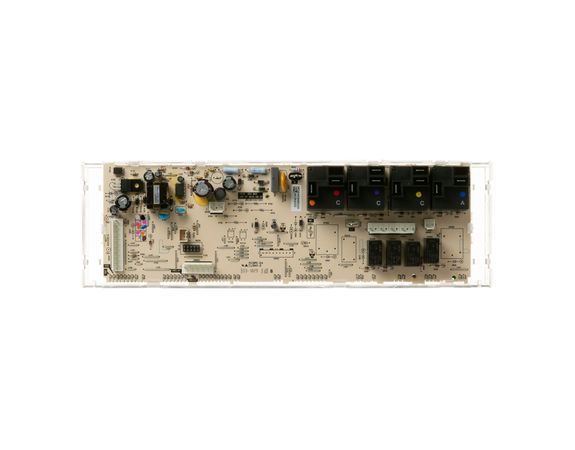
GE WB27X29606 Oven Control Board T012 White Led

Special Price $238.14 Regular Price $263.95
In stock
Available Quantity:   22
SKU
WB27X29606

Product Description

The General Electric WB27X29606 Control Board with White LED T012 regulates oven functions such as temperature, timer and cooking modes. It works by taking a user interface input, processing commands and controlling heating elements and displays as needed. This is the central hub for electric signals that ensure the oven performs accurately and efficiently and fits behind the oven’s control panel.
Manufacturer

https://www.hnkparts.com/media/catalog/product/w/b/wb27x29606.jpg
Write Your Own Review
You're reviewing:GE WB27X29606 Oven Control Board T012 White Led
Your Rating
Customer Questions
What maintenance is required for the GE WB27X29606 Control Board?

Ensure all wiring connectors are fully seated and secured. Keep the control board area free from moisture and food residue. Confirm oven responds accurately to temperature and mode selections. Monitor display functions during operation to verify proper signal communication.

What are common issues with the GE WB27X29606 Control Board?

  • Oven not heating to set temperature.
  • Bake or broil cycles failing to start.
  • Display panel unresponsive.
  • Timer functions inaccurate.

Installation Steps

Step1: Turn off the electrical power at the breaker panel before starting.

Step2: Remove the upper control panel cover to remove the internal board area.

Step3: Carefully disconnect all wire harnesses, noting their original positions.

Step4: Unscrew the mounting hardware securing the existing control board.

Step5: Set the new board into place and fasten it securely.

Step6: Reconnect wiring, reinstall the panel, restore power, and confirm proper operation.