
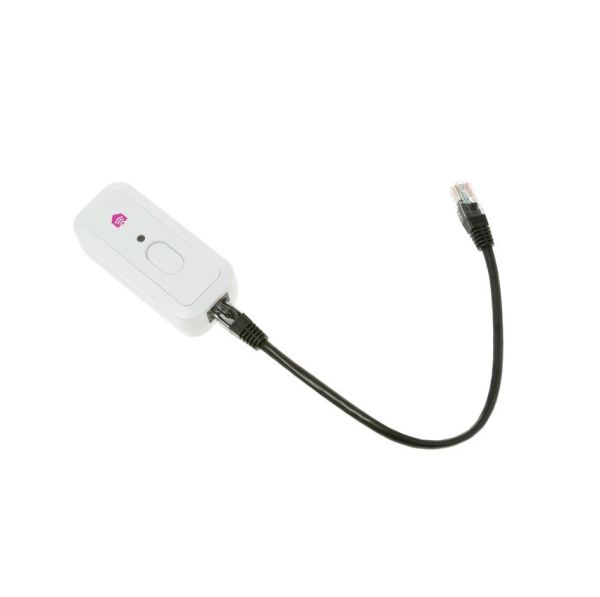
GE PBX23W00Y1 Refrigerator Smart Hq Connect Module

Special Price $72.34 Regular Price $85.95
In stock
Available Quantity:   10
SKU
PBX23W00Y1

Product Description

The GE PBX23W00Y1 Refrigerator Smart HQ Connect Module allows a wireless connection to monitor and control the appliance. It operates by connecting the internal systems of the appliance to a Wi-Fi network, where diagnostic and operational data are sent without any problems. This module is mounted in the control housing of the refrigerator to be connected to it.
Manufacturer

https://www.hnkparts.com/media/catalog/product/p/b/pbx23w00y1.jpg
Write Your Own Review
You're reviewing:GE PBX23W00Y1 Refrigerator Smart Hq Connect Module
Your Rating
Customer Questions
What maintenance is required for the GE PBX23W00Y1 Smart Hq Connect Module?

Ensure the module remains securely connected to the refrigerator’s internal port and check periodically for dust or loose wiring around the connection area. Avoid moisture exposure when cleaning the refrigerator interior. Unplug the appliance before inspecting the module. Keeping connections clean and stable helps maintain reliable smart connectivity and system communication.

What are common issues with the GE PBX23W00Y1 Smart Hq Connect Module?

  • Module fails to connect to the network.
  • Indicator light flashes continuously.
  • Connection drops during syncing.
  • Delayed response from module.

Installation Steps

Step1: Power off the refrigerator and unplug it from the outlet.

Step2: Remove the cover panel to access the control module compartment.

Step3: Disconnect wiring from the old module carefully.

Step4: Remove the old module from its mounting.

Step5: Install the new Smart HQ module and secure with screws.

Step6: Reconnect all wiring according to the original layout.

Step7: Replace the panel, plug in the refrigerator, and test connectivity function