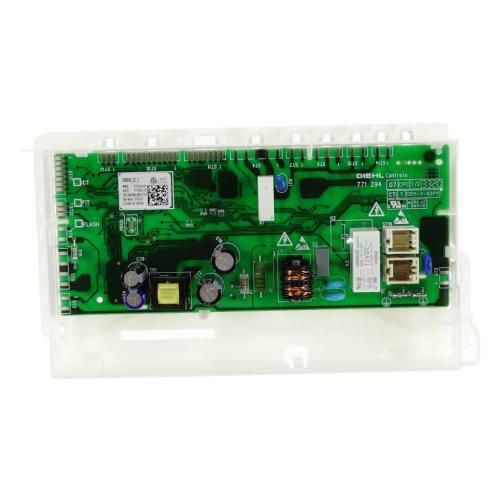
Hisense G825243 Dishwasher Control Board Set GCU C DW30.2 US10A Auto/ADO/NSF HUSA

Special Price $74.28 Regular Price $90.95
In stock
Available Quantity:   5
SKU
G825243

Product Description

The Hisense G825243 Dishwasher Set GCU C Auto/ADO/NSF HUSA is designed for a simple and fast dishwashing process with the help of the latest technology and features. This has powerful jets and multiple cycles that help to clean the dishes by removing stains and grease. It has an automatic sensor that determine the amount of dirt on the clothes and the amount of water to use in the washing process to be efficient in cleaning and using less energy. It is NSF-certified for hygiene and can remove bacteria from dishes, making them safe for use.
Dishwasher Parts, Control Boards,
7"X3"X14"
Manufacturer
https://www.hnkparts.com/media/catalog/product/g/8/g825243-hisense-hnkparts-1.jpg

This Part Fits the Following Models (1)

Write Your Own Review
You're reviewing:Hisense G825243 Dishwasher Control Board Set GCU C DW30.2 US10A Auto/ADO/NSF HUSA
Your Rating
Customer Questions
What maintenance is required for the Hisense G825243 Control Board?

Regularly inspect the control board for dust, moisture, or loose connections to ensure accurate operation. Keep the dishwasher internal conduction dry and well-ventilated to prevent electrical damage. Avoid power surges by using proper grounding and surge protection.

What are common issues with the Hisense G825243 Control Board?

  • Failure to power on or unresponsive control panel.
  • Erratic or incorrect cycle selection action.
  • Interrupted or incomplete wash cycles.
  • Communication errors between components.
  • Random resets or intermittent shutdowns.

Installation Steps

Step1: Disconnect power at breaker and confirm dishwasher is off.

Step2: Remove lower access panel and locate existing control board.

Step3: Carefully disconnect harnesses and unscrew the old board.

Step4: Install new board, reconnect wires, and secure mounting screws.

Step5: Restore panel, power on, and test functions; avoid electrical shock.

Step6: If error codes appear, reset power cycle and verify all connections.