
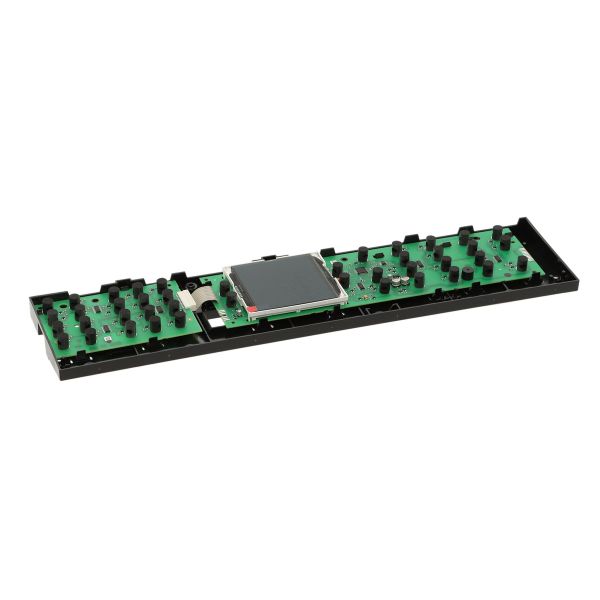
Bosch 00703850 Oven Display Module

Special Price $633.41 Regular Price $882.62
In stock
Available Quantity:   32
SKU
00703850

Product Description

The Bosch 00703850 Display Module functions as an interface that controls oven operations. This interface shows oven settings together with temperature and cooking modes to enable simple operation. Through its connection to the oven control board, the module offers a controller interface where users can modify settings and track cooking operations. The module features durability and accuracy to enable smooth operation of the oven. This display module functions with multiple Bosch oven models while serving as an essential component for proper functionality to display cooking functions clearly and enable easy control of oven settings.
Manufacturer

✓ This Product Replaces: 479036, 681275, 703850
https://www.hnkparts.com/media/catalog/product/0/0/00703850_bosch_hnkparts.png
Manufacturer Name: BOSCH
Product Number: 00703850
OEM Part Number: 00703850
Product Description: Display Module

Choose the best Home Appliance parts and supplies from HnKParts!

  • Same Day Shipping

  • Best Quality And Best Price

  • Wide Range of Inventory

  • Best Customer Service

Have More Questions or Need Help to Place The Order?
Reach us at (866)723-0907 or [email protected]

Write Your Own Review
You're reviewing:Bosch 00703850 Oven Display Module
Your Rating
Customer Questions
What maintenance is required for the Bosch 00703850 Display Module?

Wipe the display with a soft, dry cloth to remove dust and fingerprints. Avoid abrasive cleaners or liquids that could damage electronics. Ensure connections remain secure. Maintaining clear visibility supports accurate temperature monitoring and proper oven operation.

What are common issues with the Bosch 00703850 Display Module?

  • Numbers or symbols missing on the display.
  • Inconsistent temperature readings.
  • Touchpad unresponsive.
  • Display backlight dimming or flickering.

Installation Steps

Step1: Disconnect the oven from the electrical supply.

Step2: Carefully pull the control panel forward to access the display module.

Step3: Disconnect the wiring harness attached to the old display module.

Step4: Remove the mounting screws and take out the faulty module.

Step5: Install the new display module and reconnect the wiring securely.

Step6: Reattach the control panel, restore power, and test the display functions.