The store will not work correctly in the case when cookies are disabled.
We collect user information to provide a better user experience and protect the security of our website. By continuing to use our website, you acknowledge the use of cookies.
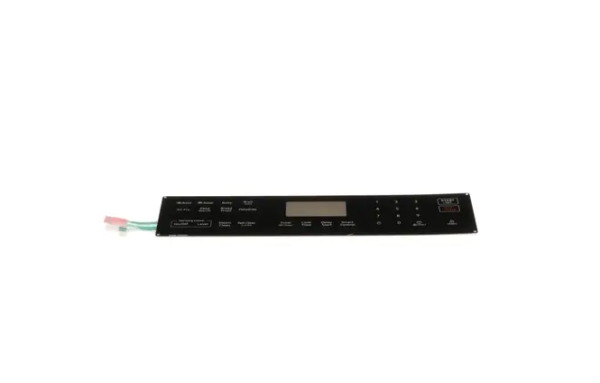
This is a Samsung DG96-00850H Touch Control Panel that makes the cooking functions easily manageable through a touch of the screen without any complications. It has the touch-sensitive buttons, it operates through electronic signals to control temperature, cooking modes and timers with ease. It has a simple design that makes it easy to use and operate, which will improve the cooking process.
What maintenance is required for the Samsung DG96-00850H Touch Control Panel?
Keep the range touch control panel clean by wiping with a soft, damp cloth and mild detergent if needed. Avoid abrasive cleaners or sharp objects that could scratch the surface. Regularly check for loose connections and ensure the panel is dry to avoid electrical issues.
What are common issues with the Samsung DG96-00850H Touch Control Panel?
Range unresponsive or stuck touch buttons.
Display flickering or not lighting up.
Incorrect temperature or timer readings.
Panel intermittently failing to register commands.
Installation Steps
Step1: Turn off power at the circuit breaker and unplug the range to avoid electric shock.
Step2: Remove mounting screws securing the old control panel and carefully detach ribbon connectors without pulling force.
Step3: Align the new panel correctly and reconnect the wiring harness firmly into place.
Step4: Secure the panel with screws and ensure it sits flush and properly fitted.
Step5: Restore power at breaker and test all touch operations for proper responsiveness.