
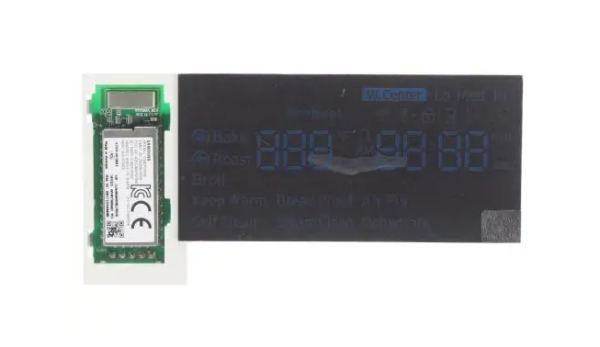
Samsung DG92-01231A Range Display PBA Module

Special Price $149.79 Regular Price $180.95
In stock
Available Quantity:   52
SKU
DG92-01231A

Product Description

The Samsung DG92-01231A PBA Module-Display plugs into the appliance’s motherboard to facilitate the communication between the user interface and the display, whether it is the settings, temperatures or any error messages. It functions by converting electrical signals into powering the screen and converting digital information into visible images. The advantages include better functionality, easy to use and integration, which makes the overall user experience fast and efficient with less chances of failure.
Manufacturer

https://www.hnkparts.com/media/catalog/product/d/g/dg92-01231a_smg_hnkparts.png
Manufacturer Name: Samsung
Product Number: DG92-01231A
OEM Part Number: DG92-01231A
Product Description: Pba Module-Display

Choose the best Home Appliance parts and supplies from HnKParts!

  • Same Day Shipping

  • Best Quality And Best Price

  • Wide Range of Inventory

  • Best Customer Service

Have More Questions or Need Help to Place The Order?
Reach us at (866)723-0907 or [email protected]

Write Your Own Review
You're reviewing:Samsung DG92-01231A Range Display PBA Module
Your Rating
Customer Questions
What maintenance is required for the Samsung DG92-01231A Display PBA Module?

Keep the control panel area clean and dry to protect the range display module from moisture damage. Avoid using chemicals when cleaning nearby surfaces. Ensure proper electrical connections during installation and periodically check for loose wiring. Always disconnect power before servicing.

What are common issues with the Samsung DG92-01231A Display PBA Module?

  • Display not lighting up or completely blank.
  • Unresponsive or delayed touch/button inputs.
  • Flickering or dim display panel.
  • Error codes showing incorrectly.
  • Intermittent power or connection failures.

Installation Steps

Step1: Disconnect range power supply before starting.

Step2: Remove control panel screws and access display housing.

Step3: Carefully detach old module connectors.

Step4: Install new module and secure wiring firmly.

Step5: Reassemble panel and tighten screws.

Step6: Restore power and test display function.