
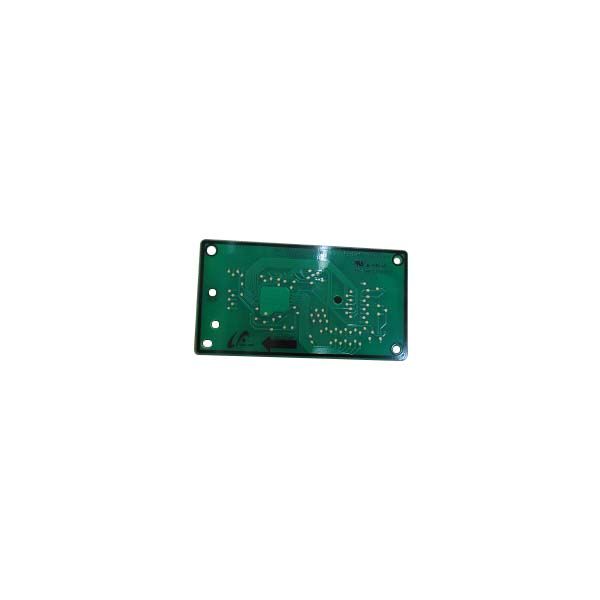
Samsung DE92-03699A Microwave Control Module Assembly

Special Price $96.82 Regular Price $131.95
In stock
Available Quantity:   14
SKU
DE92-03699A

Product Description

The Samsung DE92-03699A Microwave Module-Pcb Sub is an essential component of Samsung microwave ovens. It manages vital activities like power levels, and cooking times, and displays operations in its capacity as the central control board. A malfunctioning DE92-03699A can cause a variety of problems with your microwave. Issues such as inconsistent heating, imprecise cooking durations, or a broken display could arise. You can get back to using your microwave and get the benefits of having a perfectly functioning appliance by swapping out the malfunctioning module for this particular sub. These advantages include precise cooking times, effective and uniform heating, and a useful display that lets you heat, cook, and defrost food reliably.

Manufacturer

https://www.hnkparts.com/media/catalog/product/d/e/de92-03699a_smg_hnkparts.png
Manufacturer Name: Samsung
Product Number: DE92-03699A
OEM Part Number: DE92-03699A
Product Description: Module-Pcb Sub

Choose the best Home Appliance parts and supplies from HnKParts!

  • Same Day Shipping

  • Best Quality And Best Price

  • Wide Range of Inventory

  • Best Customer Service

Have More Questions or Need Help to Place The Order?
Reach us at (866)723-0907 or [email protected]

Write Your Own Review
You're reviewing:Samsung DE92-03699A Microwave Control Module Assembly
Your Rating
Customer Questions
What maintenance is required for the Samsung DE92-03699A Control Module Assembly?

Regularly inspect the module for signs of wear, loose connections, or debris. Keep the area dry and free of moisture. Always disconnect power before handling. Proper maintenance ensures better operation and prevents electrical issues.

What are common issues with the Samsung DE92-03699A Control Module Assembly?

  • Touchpad or button unresponsiveness.
  • Display malfunctions or blank screen.
  • Erratic timer or cooking cycle behavior.
  • Failure to start or intermittent power issues.

Installation Steps

Step1: Unplug microwave from power and remove outer cabinet to access control module safely.

Step2: Note wiring connections for accurate reference during reassembly.

Step3: Disconnect wire harnesses carefully and remove mounting screws securing the old module.

Step4: Install new module by aligning connectors properly and secure all screws firmly.

Step5: Reconnect wiring, reassemble cabinet, restore power, and test operation carefully afterwards.